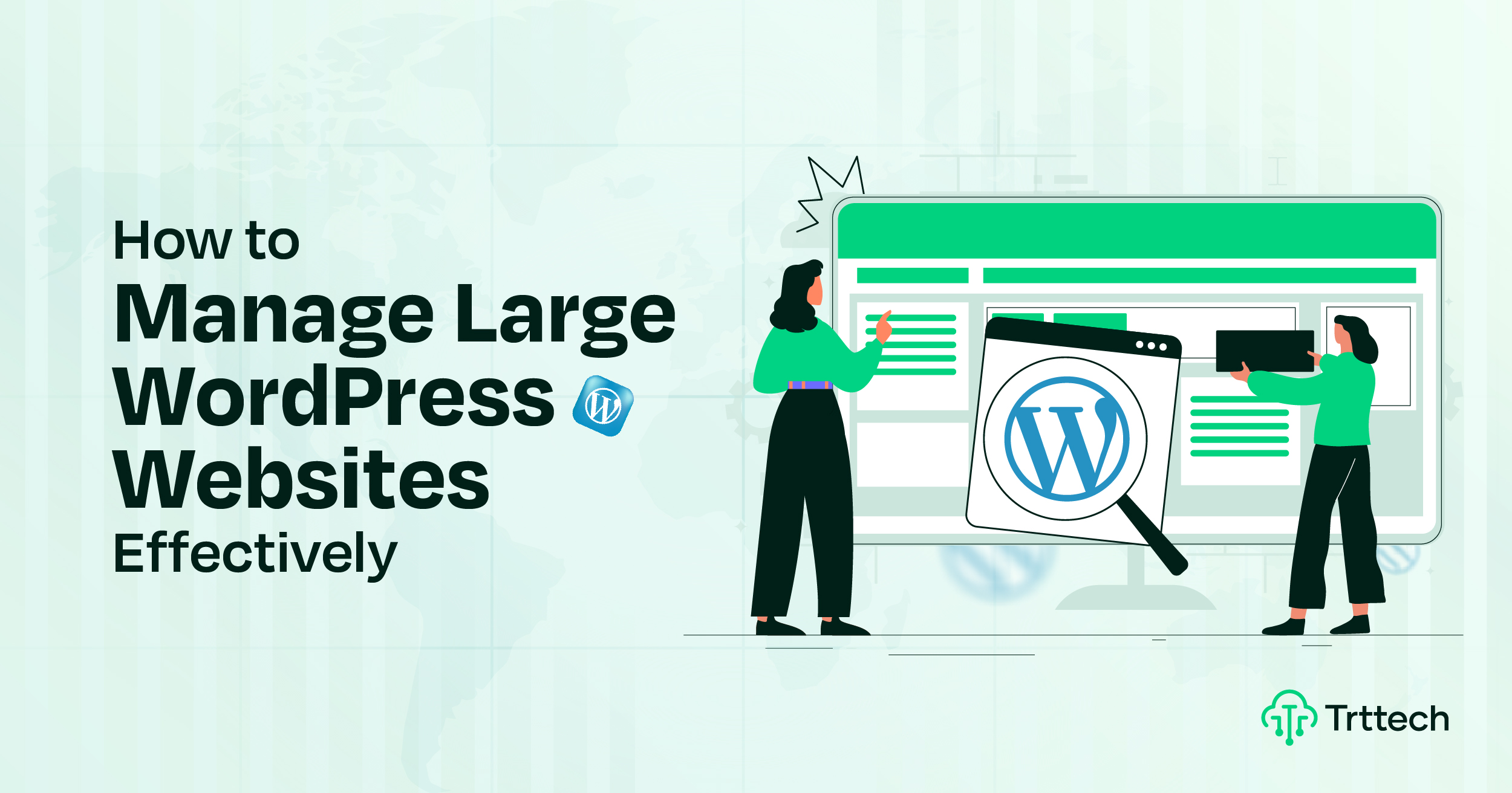
Manage Large WordPress Websites: A Smart Guide for Agencies
Are you a WordPress agency owner struggling to manage a large WordPress site? As websites grow, managing content, plugins, and site structure can feel overwhelming. Without proper planning, thousands of posts, pages, and media files can slow down your workflow.
Running a busy e-commerce store, a popular news site, or a corporate blog requires more than quick updates. You need a clean system. It keeps everything organized and helps your site run at its best every day.
As a WordPress agency, we know how important ongoing care and site maintenance is. That’s why we offer white-label WordPress maintenance services for agencies.
In this guide, you’ll find proven strategies and essential tools. Here are some easy ways to manage large WordPress sites with confidence.
Why Is Managing and Organizing a Large WordPress Website So Important?
If you run a WordPress agency, you might be wondering, “Why do I need to manage and organize my website?” The answer is yes.
First, you need to understand that the bigger your website gets, the more complex it becomes. Without good management, the site’s performance will suffer. Visitors will leave, making it harder to reach business goals.
Strong organization and regular maintenance keep your site secure, fast, and stable. Large WordPress sites require regular updates. They also need daily backups and quick fixes to run smoothly. A well-structured system also makes it easier to manage content and meet visitor needs.
If you manage multiple websites for clients, the need becomes even stronger. Consistent management helps you efficiently manage plugin updates, security checks, and performance tasks. This way, you don’t waste time. It also protects the sites from downtime and security threats.
In short, managing a large WordPress website is not optional. This is crucial for solid site performance, reliable uptime, and a seamless user experience. This becomes even more important as your projects get larger and more complex.
Best Practices for Managing Large WordPress Sites
Good management is a crucial part of a successful website, especially with WordPress. It’s often overlooked.
Building a WordPress website is easy. But keeping it well-managed as it grows is a different challenge. Many agency owners believe that site maintenance is easy. They quickly run into issues like slow performance, security risks, and unorganized content.
Managing a large WordPress website requires planning, consistency, and the right approach. It’s not just about fixing problems – it’s about preventing them before they happen.
Here are some top tips for keeping your website secure, fast, and well-organized. These steps will help you manage a large WordPress site smoothly.
Begin with a Scalable Strategy and Content Plan for Your WordPress Site
Managing a large WordPress site requires a clear plan. Agencies need a plan that keeps things running smoothly. This way, the site can grow without any issues.
Start by organizing your content into logical sections. Use categories, tags, and custom post types. This structure makes it easy to find, edit, and manage pages and posts.
Create a content calendar. This helps you schedule updates, track performance, and plan content based on audience demand. Analytics for posting and updates can help you make smarter decisions.
Set up strong backup and security measures. It is essential to protect your data and website from threats. Also, keep your WordPress core, plugins, and themes updated. This ensures that your site is running smoothly and errors are avoided.
-
Define Objectives and Goals
Setting clear goals and objectives is crucial for managing a large WordPress site. Goals shape every choice and ensure that the site supports your client’s business plan. Focus on clear outcomes like user engagement, search visibility, and conversion rates.
-
Develop a Site Architecture Plan
A well-organized site architecture makes content easier to find and improves SEO performance. Start by mapping pages, categories, and subcategories into a logical hierarchy. Prioritize navigation that helps visitors get to information quickly.
Regularly review the structure for new content needs and changing user habits. Updating the hierarchy keeps the website well-organized and user-friendly as it grows.
Use WordPress CMS Capabilities for Efficient Website Management
To manage large WordPress sites well, use the CMS’s built-in tools effectively. Start organizing content with clear categories and tags. This structure makes it easier for visitors and search engines to find important pages.
Use WordPress’ taxonomy system to create a hierarchy of categories and subcategories. A well-designed menu guides users naturally. Use the drag-and-drop menu editor to create easy-to-follow navigation.
Set up a staging environment to test updates and changes before going live. This prevents bugs from affecting the live site. Plugins add features, but choose them carefully. Review them often. This helps avoid slowing down your website or creating security risks.
Sometimes simple code can replace a plugin, making the site faster and more reliable. Always schedule regular backups with a trusted backup plugin to protect your data.
Use WordPress’ content scheduling feature to plan posts and updates in advance. This keeps the site active and current without constant manual work. Agencies can use these CMS features to manage large WordPress websites. It keeps them organized, secure, and user-friendly.
Optimize WordPress Website Performance for Speed and User Experience
Site speed optimization and website performance are very important. They help keep visitors happy and increase search engine rankings. Companies that run large WordPress sites should keep their WordPress core updated. Updates improve security and often increase speed.
Pay attention to themes and plugins during development. Bloated or poorly coded plugins can slow down a website. A content delivery network (CDN) sends content to users from servers that are closer to them. This reduces load times for visitors everywhere.
Use tools like Google PageSpeed Insights and Pingdom to test performance. PageSpeed offers tips for improving speed on desktop and mobile. For example, it recommends optimizing images and enabling browser caching. Pingdom tests load times from a variety of locations. This gives a clear picture of global performance.
Solving issues like server response times and render-blocking resources helps keep large WordPress sites fast and responsive. Optimizing performance helps sites handle heavy traffic while keeping visitors engaged.
Implement Server-Side Caching and Advanced Optimization Techniques
Caching is an important way to reduce server load and speed up your WordPress site. Standard caching plugins like WP Rocket and W3 Total Cache are sufficient for most sites. However, larger websites require robust server-side caching to improve performance.
Technologies like Varnish Cache, Redis, and opcode caching with APC or OPcache speed up content delivery. They serve precompiled PHP and static files from memory, significantly reducing load times.
Use these tools in conjunction with browser caching and a CDN. This will help you build a robust, multi-tiered caching system. This approach reduces resource usage and delivers content to users everywhere faster.
For sites with dynamic content, use transients to store temporary data or database query results. This reduces repeated processing and improves response times.
High-traffic sites benefit the most from these techniques. Even small speed improvements can improve user experience and improve search engine rankings.
Other techniques can also help boost performance. Clear the cache frequently. Use lazy loading for images. Also, minimize render-blocking CSS and JavaScript files. These steps are important.
Improved caching and optimization improve speed and SEO. This applies to both a blog with thousands of posts and a WooCommerce store with many products.
Manage and Optimize Your WordPress Database for High Performance
A well-maintained database is essential for large WordPress sites. It directly affects the speed, responsiveness, and ability to handle growth of the site.
Regular optimization keeps your database clean and efficient. WP-Optimize removes redundant data. It cleans up old post revisions, spam comments, and unused tables. It reduces the size of the database and speeds up queries.
For large sites, hosting the database on a separate server can improve performance. A good web hosting provider keeps your site fast and stable, even when traffic is high.
Organize WordPress Content Using Categories, Tags, and Custom Taxonomies
Properly organized content is important for large WordPress websites. Using categories and tags helps keep posts and pages organized and easy to find.
WordPress’ taxonomy system allows agencies to logically group content. Assign categories to group related posts and use tags for specific topics.
This approach improves navigation for visitors and simplifies content management. It helps users find the information they need quickly across multiple sites.
Custom taxonomies provide additional flexibility. You can create unique groupings for your content. This makes large sites more organized and easier to manage.
Design a Scalable Information Architecture with SEO-Friendly Taxonomies
A strong information architecture keeps large WordPress sites organized. Without a clear structure, it can be difficult to manage thousands of posts, pages, and media files.
Use WordPress categories, tags, and custom taxonomies to logically group content. This helps both visitors and search engines understand your site.
Start by mapping out your content hierarchy. Main categories cover broad topics. Use tags for specific details or features. Avoid too many tags, as this can create thin or repetitive content. Create a clear structure that aligns with your goals. This will improve the user experience.
Use keyword-rich permalinks and make sure menus follow the content hierarchy. Add breadcrumbs, internal links, and related content widgets. This helps guide visitors smoothly through your site.
Improve the search experience on large sites by using WordPress plugins like Relevanssi or SearchWP. This is especially useful for websites with many posts or products.
A good taxonomy increases SEO and makes content easier to find. It also helps teams stay consistent as the site grows.
Optimize WordPress Database Architecture for Scale and Speed
As WordPress sites grow, their databases often become bloated. Revisions, spam comments, expired transients, and outdated plugins can slow down data queries. They also increase server load.
Start regular cleanups using plugins like WP-Optimize, WP-Sweep, or Advanced Database Cleaner. These tools remove unnecessary data, optimize tables, and keep the database efficient. Schedule these tasks regularly to maintain long-term performance.
For busy or large sites, use advanced methods. Try database sharding or read/write splitting with HyperDB. These methods distribute the database load across multiple servers, improving speed and scalability.
Good indexing of SQL queries can reduce execution time. This is especially true for sites with many user posts or large e-commerce catalogs.
Hosting your MySQL or MariaDB server separately increases performance. Managed database hosting also helps. Use tools like New Relic or Query Monitor to track database activity. This helps you find slow queries. Then, you can optimize them as needed.
A clean, well-organized database provides fast performance and reliable data. This helps your WordPress site grow smoothly without issues.
Define User Roles and Permissions to Improve WordPress Site Security
Defining clear user roles and permissions is essential for large WordPress sites. This controls access and keeps workflows organized.
Agencies can define roles such as editor, writer, or contributor. Each role determines what a user can create, edit, or delete on the site.
This system reduces the risk of unauthorized changes. Only authorized users can access sensitive tasks, which strengthens the security of the site.
Along with regular maintenance, specific roles help manage content efficiently. They keep large sites structured as they grow.
Perform Regular WordPress Maintenance and Site Monitoring for Stability
Fully comprehensive WordPress maintenance and support services are crucial for managing large websites. Regular updates, monitoring, and health checks keep the site running smoothly and securely.
-
Regular Updates
Keeping your WordPress core, themes, and plugins updated is essential for large websites. Updates improve performance, security, and compatibility across devices and browsers.
Regular updates also protect your site from security threats. WordPress sites are common targets for hackers, so staying updated is crucial. Security plugins like Wordfence add extra protection. Using custom code instead of additional plugins can help keep your site fast and lightweight.
-
Monitor Website Health
Monitoring your site can help you identify problems before they affect your visitors. Regularly check for broken links, plugin conflicts, and theme issues. Early detection prevents major issues and keeps your site running smoothly.
Use tools like Google Analytics to track user activity. This can help identify slow pages, unusual traffic patterns, and areas that need improvement.
Work closely with your hosting provider. Many offer monitoring tools that track server performance, uptime, and security updates. Regular monitoring keeps your WordPress site safe, fast, and reliable for everyone.
Use Centralized Management Dashboards to Simplify Multi-Site Operations
Managing multiple WordPress sites individually can be time-consuming and error-prone. Updates, backups, security checks, and performance monitoring consume a lot of resources.
A centralized management dashboard solves this problem. Tools like ManageWP, MainWP, and the Plesk WordPress Toolkit allow organizations to manage all their websites in one place.
These dashboards provide automated updates. These include scheduled backups, one-click access, uptime tracking, and performance monitoring. They simplify daily maintenance and reduce manual effort.
A centralized system increases the efficiency of high-traffic or large-scale sites. It ensures that all websites receive consistent updates. The team can maintain standards and apply security patches uniformly.
Many dashboards also integrate with CDNs, caching plugins, and malware scanners. This gives you a complete management solution. It keeps your WordPress portfolio fast, secure, and stable.
Staging Environments and Content Syncing: Prevent Errors Before They Go Live
A staging environment is essential for managing large WordPress sites. It allows you to test updates, plugins, custom code, and new features before implementing them on the live site. This helps prevent performance issues, plugin conflicts, and site crashes.
For content-heavy sites, keeping staging and production environments in sync can be challenging. Tools like WP STAGING, WP Migrate DB Pro, and PublishPress Revisions help you manage content versions. They also make it safe to deploy changes.
Testing updates in a cloned environment gives you more control. This reduces the chance of downtime. This is important during busy periods or product launches.
A good staging workflow helps developers, content creators, and SEO teams work better together. It ensures that updates, database changes, and taxonomy tweaks happen smoothly. This way, the live site remains uninterrupted.
Using a staging setup helps agencies innovate safely. This allows them to optimize images, enable lazy loading, and refine database queries. This way, they can keep performance and site integrity intact.
Choose Reliable Hosting Solutions Customized for Large WordPress Sites
A scalable and reliable hosting provider is essential for high-performance WordPress websites. High-performance sites, large media libraries, or expansive databases require reliable hosting. This ensures stable performance and a smooth user experience.
Managed WordPress hosting solutions include:
- Automatic scaling
- Built-in caching
- Staging environments
- 24/7 support
Kinsta, WP Engine, and Cloudways offer top-notch WordPress hosting. They focus on server-side optimization, PHP version control, and CDN integration.
Look for hosting with SSD storage, containerized environments, and load balancing. Separating resources for each website prevents slowdowns during traffic spikes.
Upgrading from shared hosting to a dedicated server or cloud VPS gives you more CPU power and memory. This helps you better handle increased traffic and database queries.
Choosing the right hosting is more than just a technical decision. It increases site stability, speeds up pages, and helps agencies and clients grow.
Professional Help with White Label WordPress Maintenance Services
Managing large WordPress sites can be challenging. White-label WordPress maintenance services help agencies manage websites. They keep sites organized, secure, and running smoothly. Plus, they do it without adding to the workload.
TRT Technologies offers white-label WordPress maintenance services. It keeps your sites updated, secure, and optimized. We take care of regular maintenance and technical support. This way, your agency can focus on growing.
TRT Tech White Label WordPress Maintenance Services:
- Routine WordPress Core, Theme, and Plugin Updates
We update everything regularly. This keeps your site secure, fast, and compatible with all devices. - Comprehensive Security Monitoring
Regular scans and proactive measures keep your site safe from threats and vulnerabilities. - Regular Backups and Quick Restorations
Automatic backups keep your data safe and enable quick recovery if problems arise. - Performance Optimization
Caching and image compression speed up loading times. This improves the user experience. - Unlimited Bug Fixes and Error Resolution
We quickly fix errors and bugs to keep your site running smoothly. - Dedicated Uptime Monitoring
Continuous monitoring reduces downtime and quickly resolves issues that impact site availability. - Custom Development Support
Our team offers custom solutions and feature upgrades tailored to your needs.
Agencies can use white-label maintenance to effectively manage large WordPress sites. This keeps client websites secure, fast, and reliable.
Summary
Managing a large WordPress website requires careful planning, ongoing maintenance, and proactive monitoring. These steps keep sites secure, fast, and reliable.
Regular updates, database optimization, and performance tuning create a smooth experience for visitors. A clear content structure also helps.
When companies consistently use these techniques, they can better manage complex WordPress sites. This helps them deliver high-quality results for their clients.
FAQs: Managing Large WordPress Websites
Why is managing a large WordPress website important for business success?
Proper management ensures that your site handles heavy traffic, is secure, and loads quickly. Optimizing WordPress core, themes, and plugins creates a smooth user experience. This helps businesses grow and keep clients happy.
How can I improve site performance for high-traffic websites?
Boost performance by using a caching plugin like WP Super Cache. Optimize images, remove unused plugins, and choose a lightweight theme. Using dedicated or managed hosting can free up resources. This allows the site to scale up or down, effectively handling more visitors.
What role do server resources and hosting play in WordPress scalability?
High-traffic sites require sufficient server power and optimized configurations. A single server can slow down under heavy load. WordPress uses multiple servers. It also uses vertical and horizontal scaling. This helps it handle large databases and many users. Thus, it can handle high traffic smoothly and without lag.
How do I maintain security when running a large WordPress website?
Increase security by using a web application firewall. Also, be sure to update regularly, assign the right user roles, and monitor activity. Removing unused plugins and optimizing themes also reduces potential vulnerabilities.
How can central management tools and staging environments help site owners?
Centralized dashboards make it easy to manage multiple WordPress sites from one place. Staging environments allow you to test content changes, updates, and new plugins before you go live. This prevents errors and ensures consistent performance under heavy traffic.