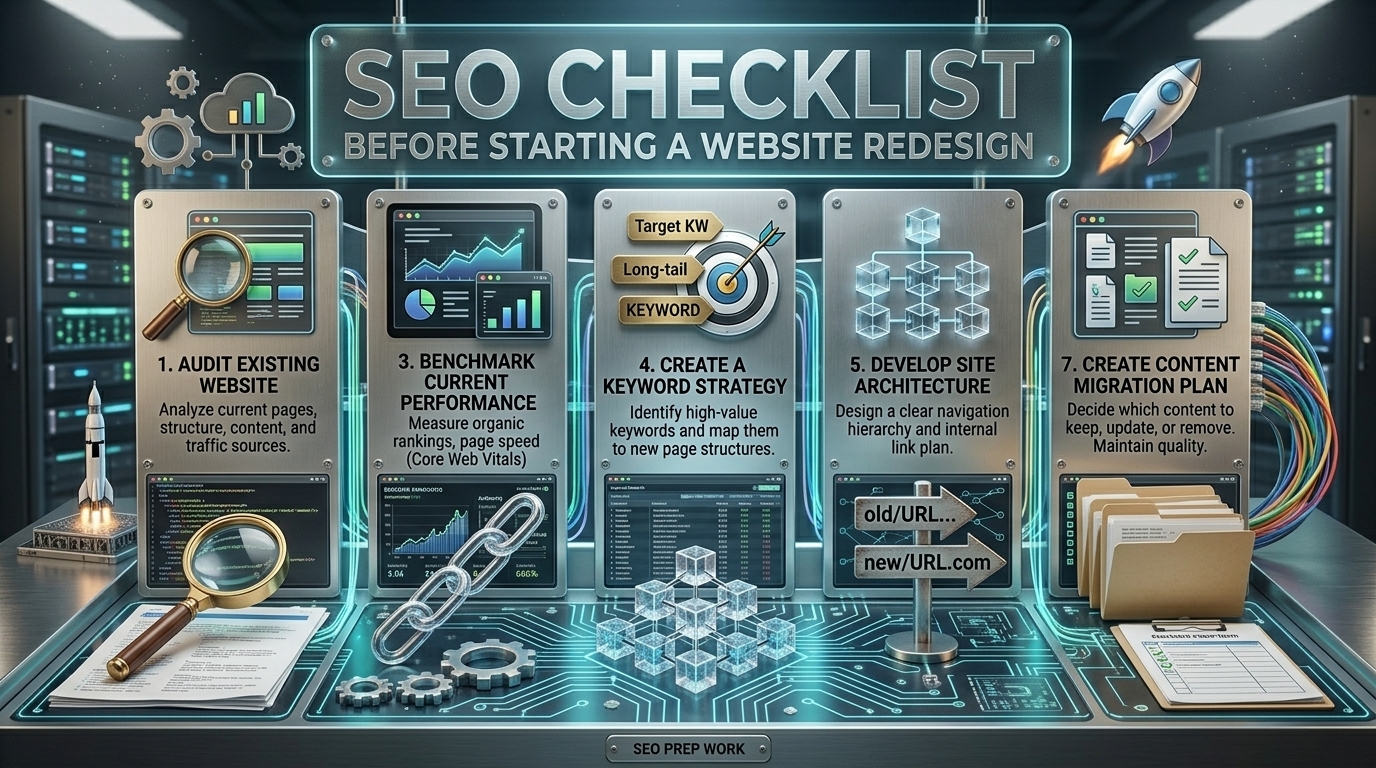
Redesigning your site feels great. You want something fresh and modern. But here is the scary part: many websites lose traffic right after a redesign. Google gets confused when you move things around. That is why you need a SEO checklist for website redesign before you do anything else. It keeps your hard work safe. The right plan helps you update your look without losing visitors. You do not have to choose between a pretty site and good traffic. You can have both. We will share about the simple steps that protect your rankings. Following a solid website redesign SEO checklist is the best way to start this project. It saves you from future headaches.
Why SEO Must Come Before Design
Most people start with the pretty stuff. Then they try to fit SEO in at the end. That never works well. You need SEO before design from day one. Build a SEO-friendly web design from the start. Always integrate SEO early in your process. Create a solid web design SEO strategy. Take an SEO first approach to everything.
Common SEO design mistakes happen with designing first SEO later. How search engines crawl websites matters. Google sends crawlers called Googlebot. How Google evaluates websites depends on structure. Clean code ranks higher. The cost of ignoring technical SEO is huge. Technical SEO during redesign saves you from SEO redesign pitfalls.
Benchmark Your Current SEO Performance
You need a starting point. You cannot measure success without it. An SEO benchmark analysis shows you exactly where you stand today. It gives you proof.
Take time to measure SEO performance across your site. Look at every page. Check every visitor. A full organic traffic analysis reveals your winners. It shows what people actually read.
Do a complete website traffic audit before touching anything. Add this to your pre-redesign SEO checklist. This homework saves you from guessing later.
Record Organic Traffic Data
Open Google Analytics 4 reporting. Go to Reports. Find Traffic Acquisition. Look for “organic search.” That is your gold.
You need to check organic traffic in GA4 right now. Look at the last 12 months. See the patterns. Now identify top performing pages. Click Pages and Screens. Sort by views. Write down your winners. Do high traffic pages analysis carefully. These pages pay your bills. Finally track seasonal traffic trends. Look year over year. See when traffic goes up or down. Knowing this stops panic later.
Export Keyword Rankings
You need to export keyword rankings before changing anything. This creates your roadmap. Do a full keyword ranking analysis right now. See where Google places you.
Track everything. You must track keyword positions carefully. These spots took months to earn. Set up proper SEO ranking data export from your tools. This pre-redesign keyword audit protects your hard work. Open SEMrush keyword overview or Ahrefs rank tracker. Type in your domain. Now export rankings from SEMrush or use Ahrefs position tracking.
Build your primary keyword list SEO. Focus on high-value keywords. Finally match keywords to pages with top ranking pages analysis.
Document Backlinks
Backlinks are votes from other websites. Document backlinks before redesigning. Run a backlink audit now. Check website backlinks carefully. Do deep backlink analysis. Preserve backlink equity throughout.
Check backlinks in Ahrefs first. Enter your domain. Look at every link pointing to you.
Also check backlinks in Moz. Compare the data. Look for patterns. Now identify pages with strong authority. Find pages with many high authority backlinks from trusted sites.
Do backlink profile analysis on your winners. Look at referring domains. Count unique sites linking to you. These inbound links carry link equity. Finally flag pages that must not be removed. These are your high-value pages. Protect them at all costs.
Perform a Full Website Crawl
You need to see your site like Google sees it. Run a full website crawl before redesigning. This is your x-ray. It shows everything hiding beneath the surface.
A technical SEO audit reveals problems you miss by just looking at pages. Use website crawling tools to do the hard work. Screaming Frog SEO Spider is the best. Add this to your site audit checklist now.
Open Screaming Frog. Enter your domain. Let it crawl.Now do Screaming Frog export data. Save everything. First, extract all URLs from the website. Get every page.Next run audit title tags and meta description analysis. Check every one. Do H1 and H2 heading audits too.
Now check HTTP status codes. Find 404 errors. Identify broken links and fix them. Also find duplicate content and thin content pages. These hurt rankings.
Audit Current Site Structure
Your site structure guides Google through your pages. A messy structure confuses everyone. Start with a site structure audit before redesigning. Focus on URL structure optimization now. Good SEO-friendly URLs use simple words. Do a website architecture review to find problems. Plan your URL hierarchy planning carefully.
URL Structure Review
Look at every page URL. Do they make sense? Ask yourself: Are these SEO-friendly URLs? Good ones tell visitors what the page is about.
Follow URL best practices. Use simple words. Avoid long strings of numbers and letters. Keep a clean URL structure throughout your site.
Check for remove URL parameters opportunities. Extra tracking codes clutter your links. Clean them up.Build a logical URL hierarchy. Keep related pages together. Follow site architecture best practices. Think about subfolder structure vs moving everything to the root.
Use keyword-rich URLs where it makes sense. Pick hyphens vs underscores carefully. Hyphens work better for Google. Never use underscores.
Internal Linking Analysis
Internal links connect your content. They guide visitors and Google through your site. Good links spread authority. Run internal linking analysis before redesigning.
Do an internal link audit to see connections. Look at website link structure carefully. Focus on internal link optimization for better link equity distribution.First identify orphan pages. Do orphan content detection with crawl tools. Find pages with no internal links pointing to them. Fix these immediately.
Now strengthen internal links to high-priority pages SEO. Add links from popular posts. Finally map link improvements for your internal linking strategy.
Create a URL Mapping & Redirect Plan
URLs change during redesign. Every change needs a plan. A URL mapping plan saves your traffic. Build a 301 redirect map carefully. Follow a website redirect strategy now. Good site migration redirects protect rankings. Do SEO redirect planning before launch.
Build a 301 Redirect Map
List every old URL. Match each to a new one. That is the old URL to new URL mapping. Do 301 redirect mapping for winners.
Remember ranking pages protection. Never delete pages without redirects. Follow redirect best practices. Always avoid redirect chains. This helps preserve SEO equity.
Test Redirects Before Launch
Building redirects is step one. Testing them is step two. You must test redirects before launch. Use redirect testing tools to check work. Verify 301 redirects for every page. Do a pre-launch redirect audit on staging. Add this to your site migration QA checklist.
Open a redirect checker. Ensure 301 not 302 redirects. Check redirect type carefully. Verify redirect loops don’t exist. Always avoid redirect chains. Follow this redirect testing checklist.
Technical SEO Checklist
Technical SEO runs in the background. If it breaks, your site disappears from Google. Work through every item before launch. Each check protects your visibility.
Robots.txt Review
Your robots.txt file tells Google what to crawl. One wrong line blocks your entire site. Do a robots.txt review before redesigning anything.
Complete robots.txt optimization right now. Follow this technical SEO checklist carefully. Use robots.txt best practices for clean code. Check search engine crawling configuration thoroughly.
Allow search engines to crawl on all important pages. Look for robots.txt disallow rules that block sections. Unblock important pages immediately. Check crawl permission settings for every folder. Run a robots.txt syntax check to catch typos.
XML Sitemap Planning
Your sitemap lists every page you want Google to find. After redesign, your old sitemap becomes useless. XML sitemap planning ensures Google discovers your new pages. Follow XML sitemap best practices strictly. Use this sitemap submission guide after launch. Submit to Google Search Console sitemap section. Complete website sitemap optimization now.
Prepare updated sitemap with all new URLs. Use dynamic sitemap generation tools. Follow sitemap format XML standards. Then submit the sitemap to Google through Search Console. Check sitemap indexing status later.
Mobile Optimization
Google uses mobile-first indexing now. Your mobile site matters most. Mobile optimization is required. A mobile-friendly website keeps visitors happy. Responsive web design makes this happen. Use Google PageSpeed Insights to check. Follow mobile-first indexing rules.
Ensure responsive design everywhere. Test with PageSpeed Insights often. Run a mobile site speed test. Check Core Web Vitals mobile scores. Do mobile usability testing. Complete PageSpeed optimization before launch.
Core Web Vitals Optimization
Google measures how users experience your site. Slow loading and shifting buttons hurt rankings. Core Web Vitals optimization fixes this. Improve LCP for faster loading. Improve CLS to stop jumping. Improve INP for quicker responses. These page experience signals directly impact rankings. Start with Largest Contentful Paint. Optimize images for the web with compression. Use next-gen formats. Optimize scripts and JavaScript by minifying files.
For Cumulative Layout Shift, set image dimensions. Reserve space before loading.
Follow this Core Web Vitals checklist before launch.
Content Strategy Before Redesign
Content drives your traffic. Bad content pushes visitors away. You need a plan before changing anything. Use a content audit checklist to guide your work. Build your content strategy before redesign carefully. A full website content audit shows what works. Do content inventory analysis now. Complete an SEO content audit before launch.
Content Audit
Open your analytics. Find your winners. Keep high-performing pages exactly as they are. Do not touch what works.Now find old posts. Update outdated content with fresh facts and new dates. Add current information. Look for short posts with little value. Merge thin pages together into one strong guide. This builds authority.
Finally identify top content by traffic. Use a content consolidation strategy to group similar topics. Remove low-quality content that helps nobody.
Keyword Optimization
Keywords connect searchers to your content. Keyword optimization gets this right. Build a keyword mapping strategy now. Re-map target keywords to proper pages. Follow your SEO keyword strategy. Complete on-page SEO optimization for every page.
First avoid keyword cannibalization. Pick one page per keyword. Now optimize meta titles with keywords near the front. Then optimize meta descriptions to increase clicks. Focus on keyword targeting per page. Do title tag optimization. Follow meta description best practices.
On-Page SEO Essentials
On-page SEO helps Google understand your content. Focus on on-page SEO essentials now. Use an on-page optimization checklist. Check page-level SEO factors. Complete SEO content optimization. Review technical on-page elements carefully.
Start with title tag structure. Put keywords near the front. Keep titles under 60 characters.
Do meta descriptions optimization. Write clear sentences that increase clicks. Aim for 155-160 characters.
Use proper heading hierarchy with H1 to H6 tags. One H1 per page. H2 for sections. H3 for subsections. Add image alt text to every picture. Describe what each image shows.
Implement schema markup and structured data for rich results.
Preserve Backlink Equity
Backlinks are votes from other websites. Lose them and you lose trust. Preserve backlink equity during redesign. Protect link equity at all costs. Build a backlink preservation strategy now. Maintain backlink value completely. Focus on link equity conservation throughout.
First identify pages with high backlinks. Find pages with a strong backlink profile using Ahrefs or Moz. These are your high-value backlink pages.
Now avoid changing URL unnecessarily. Keep the same URL when possible.
If you must move them, redirect carefully to relevant content. Send old URLs to matching new pages. This helps preserve link juice during redesign.
Pre-Launch SEO Testing Checklist
Test everything on staging before going live. Use a pre-launch SEO checklist. Do SEO testing before launch thoroughly. Complete a website launch SEO audit. Run a staging site SEO check. Finish pre-migration SEO testing.
Crawl staging site with Screaming Frog. Look for every issue. Do noindex tags removal check. Make sure important pages are not blocked. Verify canonical tags correct on every page. They should point to the right URL. Fix 404 errors immediately. Every broken link needs a redirect.
Check HTTPS working properly across the whole site. No mixed content warnings.
Test structured data with Google’s rich results tool. Confirm schema markup appears correctly.
Post-Launch SEO Checklist
You launched the new site. Now watch everything closely. Use this post-launch SEO checklist. Complete website launch follow-up tasks. Handle post-migration SEO tasks quickly. Start after redesign SEO monitoring. Follow this site relaunch checklist.
First submit a sitemap to Google in the Search Console. Tell Google your new pages exist.
Now monitor indexing in Search Console daily. Check how many pages Google finds. Watch the index coverage report. Track traffic changes after redesign in Google Analytics. Compared to your pre-redesign numbers. Look for drops.
Monitor rankings daily for your main keywords. Use tracking tools. Watch for fluctuations.
Finally fix crawl errors immediately when you see them. Do Google Search Console monitoring until things stabilize.
Common SEO Mistakes During Redesign
Watch for these common errors. Launching without redirects destroys traffic. Changing URL structure without mapping confuses Google. Removing blog content kills authority. Forgetting mobile optimization hurts rankings. Blocking sites from search engines hides everything. These SEO redesign failures cost you visitors.
What happens if you launch without redirects? Every old link breaks. Changing URLs without redirect mapping loses link equity. Why does removing blog content hurt SEO? Those posts brought traffic. Consequences of forgetting mobile optimization? Rankings drop. Accidentally blocking search engines with robots.txt hides your site.
Final Website Redesign SEO Checklist (Quick Summary)
You made it through the entire guide. Now here is your simple summary. Bookmark this page. Use it for every redesign. This website redesign SEO checklist covers everything. Keep this SEO redesign summary handy. Follow this site migration checklist step by step. Use it as your redesign SEO quick reference. Print this website relaunch checklist and check off each item.
✔ Benchmark traffic before redesign – Record your numbers now. You need proof later.
✔ Crawl existing site – Find every page. Spot problems before they grow.
✔ Map all URLs – Know where every old page goes. Create your master list.
✔ Create 301 redirects – Connect old URLs to new ones. Never lose visitors.
✔ Optimize technical SEO – Check robots.txt, sitemaps, mobile speed, and Core Web Vitals.
✔ Test before launch – Crawl your staging site. Fix every error first.
✔ Monitor after launch – Watch traffic, rankings, and crawl reports daily. Fix issues immediately.