Your website is a key business asset. But it’s never truly finished. Launching is just the first step. To stay secure, fast, and useful, your site needs ongoing care.
In 2026, Canadian businesses face more cyber threats than ever. Customers also expect faster, smoother experiences. And search engines keep raising their standards. If you ignore your website, it will slow down. It may become vulnerable. And it will start to feel outdated. That leads to unhappy visitors and lost sales.
Regular maintenance changes that. It keeps your site secure. It boosts your performance. It helps your SEO. And it creates a better experience for every visitor. In this guide, you’ll discover why every Canadian business needs website maintenance. You’ll also learn what a solid maintenance plan should include.
What Is Website Maintenance?
Website maintenance means keeping your site in good shape. It involves monitoring, updating, securing, and optimizing on a regular basis. The goal is simple: help your website perform at its best.
Smart business owners don’t wait for things to break. They schedule regular maintenance to stop problems before they start. This proactive approach saves time, money, and stress down the road.
What’s Included?
A complete maintenance plan covers many important tasks. Here’s what a professional service typically handles:
-
CMS updates for platforms like WordPress, Shopify, and Joomla
-
Plugin and theme updates to keep everything compatible
-
Security patches that close known vulnerabilities
-
Malware scanning and quick removal if threats appear
-
Performance tuning to speed up your pages
-
Fresh content updates as your business grows
-
Database cleanup for better efficiency
-
Daily or scheduled backups for peace of mind
-
Uptime monitoring to catch outages fast
-
Broken link repairs so visitors never hit dead ends
-
SEO health checks to protect your search rankings
Why It Matters
Routine maintenance delivers real benefits for your business. Here’s what you gain:
-
Smooth, reliable performance every day
-
Fewer unexpected crashes or downtime
-
Stronger protection for customer data
-
Faster load times that keep people engaged
-
Full compatibility with modern browsers and devices
-
Early bug fixes before visitors even notice
-
A professional image that builds trust
-
Solid foundations for long-term growth
The Biggest Risks of Ignoring Website Maintenance
Skipping regular website maintenance comes with serious consequences. Here are the biggest risks you face.
Security Vulnerabilities
Neglected websites attract cybercriminals. Hackers actively look for weak spots to exploit.
-
Malware can infect your site without you knowing. It may then spread harmful software to your visitors. That puts your reputation at risk.
-
Data breaches are another major threat. Customer information like names, emails, passwords, and payment details can be exposed. That leads to regulatory fines and lawsuits. Even worse, you lose customer trust forever.
-
Outdated plugins and software are easy targets. Security researchers find hundreds of new vulnerabilities every month in platforms like WordPress. The same goes for plugins and themes. If you skip updates, you leave your digital door wide open.
Slow Website Performance
Speed matters. In 2026, customers expect pages to load in under two seconds. Any slower and you lose them.
-
Visitors who wait more than three seconds will leave. That is called a bounce. A slow site also signals your business is outdated or unreliable. That is not the impression you want to make.
-
Frustrated visitors rarely return. Laggy interactions and timeouts leave a bad taste. They erode brand loyalty over time.
-
Even small delays hurt sales. A single second of delay can reduce conversions by 7%. For a Canadian eCommerce business, that could mean thousands of dollars in lost revenue every month.
Website Downtime
When your site goes down, your business is closed. Customers cannot shop, and you cannot sell.
-
Every minute of downtime costs you money. For a busy online store, an hour offline could mean hundreds or even thousands in lost sales.
-
Customers who find your site down assume you are unreliable. Many will not come back. They will go to competitors instead.
-
Downtime also kills leads. Contact forms stop working. Chat widgets fail. Booking systems go offline. You miss inquiries and opportunities without even knowing it.
Broken Features
Modern websites are ecosystems of connected parts. When one feature breaks, the whole experience suffers.
-
Contact forms often stop working. Potential customers cannot reach you. You lose inquiries and never realize it.
-
Payment gateways can also fail. Customers abandon their carts at checkout. They blame your business for a bad experience.
-
Google Rewards Well-Maintained Websites
A well-maintained website is a high-performing website—and high-performing sites get noticed.
Better Core Web Vitals
- Faster loading: Regular maintenance keeps your site optimised, ensuring pages load quickly and reducing bounce rates.
- Better mobile experience: With mobile-first indexing, a responsive, properly maintained mobile site is essential for ranking.
SEO Benefits
- Higher rankings: Fresh content, clean code, and fast load times signal quality to Google, improving your position in search results.
- Better crawlability: Regular updates ensure search engines can index your site efficiently, so new content gets discovered faster.
- Improved user signals: Fast, error-free sites keep visitors engaged, reducing bounce rates and boosting dwell time—both positive signals for SEO.
Website Security Is More Important Than Ever in 2026
Cyber threats keep evolving. That makes website security a business necessity. It is no longer optional.
Common Cyber Threats
Your website faces constant risks in 2026. Hackers are more advanced than before. They use automated tools to scan thousands of sites daily. Three threats stand out above the rest.
-
Ransomware locks your files. Attackers demand payment to release them. Even small businesses are not safe from this tactic.
-
Brute‑force attacks try passwords over and over. They keep guessing until they crack weak credentials. One compromised admin account gives attackers complete control.
-
Malware injections plant harmful code on your site. They steal customer data. Or they redirect visitors to dangerous pages. Without proper protection, your business becomes an easy target.
Security Maintenance Includes
Regular maintenance is your first defence. A strong security plan covers these essentials.
-
SSL monitoring checks that encryption stays active and valid. Expired certificates scare customers away. They also hurt your credibility.
-
Firewall updates block new attack patterns. They stop threats before they reach your site.
-
Malware scanning finds hidden infections. These are often missed by automated tools. Early detection stops bigger problems later.
-
Security patches fix known vulnerabilities. These affect your CMS, plugins, and themes. Applying them quickly closes the gaps hackers look for.
-
Daily backups give you a clean restore point. If an attack succeeds, you can recover fast. Without backups, you lose everything.
Why Website Speed Directly Affects Revenue
Website speed isn’t just a technical metric—it directly impacts your bottom line.
Customer Expectations
Faster Sites Generate More Leads
- Lower bounce rates: Fast-loading pages keep visitors engaged. A one-second improvement can reduce bounce rates by 32%.
- More inquiries: When your site responds quickly, users are more willing to fill out forms, request quotes, and explore your services.
- Better conversions: Whether you sell products or generate leads, speed directly influences purchase decisions. Even a 100ms delay can cost you sales.
Mobile Users Expect a Perfect Experience
Most Canadian consumers browse websites on smartphones and tablets.
Mobile Optimization
A professionally maintained website ensures:
- Fully responsive layouts
- Easy-to-read text
- Touch-friendly navigation
- Optimized images
- Fast mobile loading
- Mobile-friendly forms
- Simple checkout processes
Google also prioritizes mobile-friendly websites in search rankings.
Regular Backups Can Save Your Business
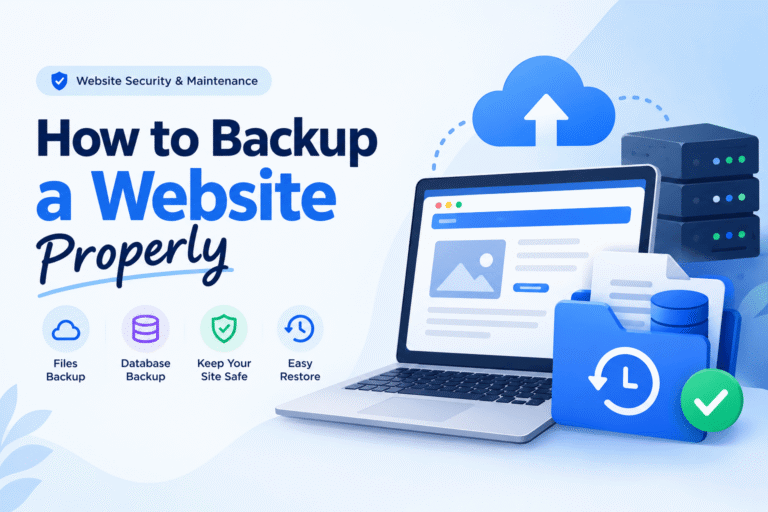
Regular backups are your insurance policy against disaster. They protect everything you have built.
Why Backups Matter
-
Human errors cause most data loss. An employee may delete a product category by mistake. A developer might overwrite a critical file. A content editor could publish a draft that breaks the page. These mistakes happen daily. Without a recent backup, the damage becomes permanent.
-
Hacking incidents are also on the rise. Ransomware attacks can lock you out of your own site. SQL injections wipe out databases. Malware corrupts important files. A clean backup lets you restore your site quickly. You can return to a pre‑infection state in minutes. You avoid paying ransoms or rebuilding from scratch.
-
Server failures occur too. Even the best hosting providers face issues. Hard drives crash. Power surges corrupt data. Fire suppression systems can accidentally discharge and damage hardware. Your hosting provider may offer some redundancy. But site‑level backups are your responsibility. When the server fails, your backup is your only lifeline.
Best Practices
-
Daily backups ensure you never lose more than 24 hours of data. For eCommerce sites or high‑traffic blogs, consider hourly backups. This captures every order and comment. The cost of lost data far exceeds the cost of frequent backups.
-
Off‑site storage adds another layer of protection. It guards you even if your hosting account is compromised. Store backups on a separate server. Use cloud storage like AWS S3 or Google Cloud. Or keep them on a local drive not connected to your website. If your site gets hacked, the attacker cannot delete what they cannot access.
-
Website Maintenance Helps Build Customer Trust
Regular website maintenance ensures your business presents a professional, trustworthy image at every touchpoint.
Professional Appearance
- Updated information: Ensure your business hours, contact details, pricing, and product offerings are current. Outdated information frustrates visitors and damages credibility.
- Working links: Broken links frustrate users and signal that your site is neglected. Regular checks prevent this.
- Fresh content: Regular updates show that your business is active, engaged, and invested in serving customers.
Reliable Customer Experience
- No errors: Eliminate 404 errors and other technical glitches that disrupt user experience.
- Secure browsing: Maintain SSL certificates and security protocols to protect visitor data and build trust.
- Smooth navigation: Ensure menus, forms, and checkout processes work flawlessly, creating a seamless user journey.
What Should Be Included in a Website Maintenance Plan?
A comprehensive maintenance plan should cover every aspect of website performance and security.
Core Services
Professional website maintenance usually includes:
- CMS updates
- Plugin updates
- Theme updates
- Security monitoring
- Malware removal
- Daily backups
- Speed optimization
- Uptime monitoring
- Broken link checks
- Contact form testing
- Database optimization
- SEO health checks
- Content updates
- Image optimization
- Monthly performance reports
The goal is to keep your website secure, fast, and functioning at all times.
How Often Should a Business Website Be Maintained?
Here is a practical breakdown of how often you should maintain your website:
Weekly Tasks
- Plugin updates – Install updates for plugins, themes, and core software to patch security vulnerabilities and ensure compatibility.
- Security scans – Run automated scans to detect malware, suspicious files, or unauthorized access attempts.
- Backup verification – Confirm that automated backups are running successfully and that you can restore from them if needed.
Monthly Tasks
- Performance optimization – Test page load speeds, optimize images, and review caching settings to maintain fast loading times.
- SEO review – Check keyword rankings, meta descriptions, and site structure to ensure you are staying visible in search results.
- Broken link audit – Identify and fix broken internal and external links that harm user experience and SEO.
- Database cleanup – Remove spam comments, post revisions, and outdated data to keep your database lean and efficient.
Quarterly Tasks
- Full security audit – Conduct a comprehensive review of your site’s security, including firewall settings, user permissions, and login protocols.
- UX review – Analyze user behaviour data to identify friction points and improve navigation and conversion paths.
- Content review – Update outdated information, refresh old blog posts, and ensure all content aligns with your current brand messaging.
- Technical improvements – Review your hosting environment, caching layers, and CDN configuration to ensure optimal performance.
Sticking to this maintenance schedule protects your site from security threats, improves user experience, and supports your SEO efforts—keeping your Canadian business competitive in 2026.
DIY Website Maintenance vs Professional Website Maintenance
| DIY Website Maintenance | Professional Website Maintenance |
| Time-consuming | Saves valuable business time |
| Easy to overlook problems | Continuous monitoring |
| Limited technical expertise | Experienced specialists |
| Higher security risks | Advanced protection |
| Reactive troubleshooting | Preventive maintenance |
| Manual backups | Automated backup systems |
| Limited performance optimization | Ongoing speed improvements |
| Inconsistent updates | Scheduled maintenance |
Signs Your Website Needs Immediate Maintenance
Watch for these warning signs:
- Website loads slowly
- Security warnings appear
- Broken pages or links
- Contact forms fail
- Frequent downtime
- Outdated content
- Plugin or theme errors
- Declining SEO rankings
- Unusual website behavior
- Unexpected redirects
- Missing images
- Poor mobile performance
Addressing these issues promptly can prevent more serious problems.
How to Choose a Website Maintenance Company in Canada
Not all maintenance providers offer the same level of service.
Look for a company that provides:
- Experience with Canadian businesses
- Fast response times
- Transparent pricing
- Regular maintenance reports
- Strong cybersecurity expertise
- Backup and disaster recovery services
- SEO knowledge
- Performance optimization
- Proactive monitoring
- Reliable customer support
Choosing the right partner ensures your website remains a valuable business asset.
Why Investing in Website Maintenance Saves Money
Many business owners see website maintenance as an extra cost. But it is actually one of the smartest investments you can make. Here is why.
-
It prevents expensive emergency repairs. A small issue left alone can turn into a major problem. An outdated plugin. A minor security gap. A broken script. Regular maintenance catches these early. You avoid emergency development rates. Those are often two to three times higher than scheduled maintenance.
-
It reduces downtime costs. Every minute your site is down costs you money. You lose sales. You frustrate customers. You waste marketing spend. For an eCommerce site, even one hour of downtime during peak hours can mean thousands in lost revenue.
-
It protects your business reputation. A broken, slow, or insecure site signals neglect. Customers lose trust quickly. Regular maintenance ensures your site always looks professional and reliable.
-
It extends your website’s lifespan. Regular updates and optimizations keep things running efficiently. You delay the need for a costly rebuild. That saves you a large expense down the road.
-
Conclusion
Your website should work for your business every single day. It should not become a source of problems.
In 2026, customers expect secure, fast, and reliable online experiences. Search engines also reward websites that are well maintained.
Investing in regular website maintenance protects your business from cyber threats. It improves your search engine rankings. It boosts your website speed. And it delivers a better customer experience.
Whether you run a local service business, an eCommerce store, or a corporate website, ongoing maintenance matters. It keeps your online presence strong. It supports your growth.
Do not wait for issues to appear. Be proactive. Make maintenance a priority. Keep your website performing at its best throughout 2026 and beyond.
Frequently Asked Questions (FAQ)
How much does website maintenance cost in Canada?
Costs vary based on your website’s size and complexity. Basic plans often start around CAD $50 to $150 per month. Larger business or eCommerce sites may need more comprehensive packages.
How often should a business website be updated?
Check security updates every week. Do performance optimization, SEO reviews, and content updates every month. Schedule comprehensive audits once every quarter.
Is website maintenance necessary for small businesses?
Yes. Small businesses are common targets for cyberattacks. Regular maintenance keeps your site secure, reliable, and competitive.
Can I maintain my WordPress website myself?
You can, but it takes technical knowledge and ongoing attention. Professional services reduce the risk of missed updates, security issues, and costly downtime.
What happens if I don’t update my website?
Skipping updates can cause several problems. You may face security vulnerabilities. Your site may slow down. Features could break. You might have compatibility issues. Search rankings often drop. And you will likely see more downtime.
Does website maintenance improve SEO?
Yes. Regular maintenance boosts page speed. It fixes broken links. It enhances mobile usability. It strengthens technical SEO. All of this supports better search engine rankings.
What is included in a website maintenance package?
Most packages cover several tasks. These include CMS, plugin, and theme updates. They include security monitoring and malware scanning. Backups and uptime monitoring are standard. You also get speed optimization, database cleanup, SEO health checks, and monthly reports.
How long does website maintenance take?
Routine tasks usually take 30 minutes to a few hours. Major updates or security fixes may need more time. It depends on the website.
Do eCommerce websites require more maintenance than regular websites?
Yes. Online stores need more frequent updates. They require payment gateway testing and inventory checks. Security monitoring and performance optimization are also critical. All of this ensures a smooth shopping experience.