Why should Canadian small businesses use free AI tools?
Running a small business in Canada takes more than passion and hard work. Your skills and personal connection with customers set you apart. But depending only on manual work limits how much you can do. That’s where free AI tools become valuable.
AI tools help you manage daily tasks without adding extra costs. They can organize schedules, prepare website content, and handle customer data. They also make it easier to track leads and manage your CRM.
By using the right free AI tools, you save time and focus on building stronger client relationships. In this guide, we have listed some of the best tools you can start using today. Keep reading for the pros and cons and a short description of each.
Types of the Best Free AI Tools for Business
There are many free AI tools that can help a business improve and work smarter. Some tools are free. Others provide limited access to basic features for free. Below is a simple breakdown to help you choose the right one for your needs.
-
Best Free AI Tools for Small Businesses
These tools are great for small businesses. They help improve daily operations at no cost. They help with planning, communication, and customer service.
-
Free AI Assistants
AI assistants can manage schedules, respond to messages, and answer customer questions. They save time and make daily tasks easier for teams.
-
Free AI Language Tools
AI Language tools help improve writing, translation, and communication. They are useful for creating content, managing emails, and connecting with clients worldwide.
-
Best Free AI Automation Tools
AI automation tools handle repetitive tasks like data entry, lead management, and marketing. They reduce manual work and streamline operations.
Free AI Tool | Overview | Best For |
Canva | Built into Canva, this tool creates images with AI technology. | Image Creation |
ChatGPT | An AI assistant that completes tasks and follows instructions efficiently. | Task Completion |
Gemini | Assists with research and task completion using AI-driven insights. | Research & Information |
Claude | A conversational AI tool designed for copywriting and interactive dialogue. | Copywriting & Conversations |
Grammarly | Helps write, proofread, and edit text with AI-powered suggestions. | Editing & Copywriting |
Steve.ai | Produces animated and live-action videos from scratch. | Video Production |
Zapier | Connects apps and automates workflows to save time on repetitive tasks. | Connecting Apps |
Agent.ai | A network of AI agents that handle specific business tasks automatically. | Productivity |
Google Trends | Shows what users search for online to help understand customer interests. | Customer Research |
Semrush | Offers free tools for website audits, SEO analysis, and keyword research. | SEO Research |
Whisper | Transcribes audio files into text quickly and accurately. | Audio Transcriptions |
Gligish | Language learning AI that helps practice real-life scenarios for customer service or daily tasks. | Customer Service Training |
Taskade | A project management app with integrated AI features for task planning. | Project Management |
Beatoven.ai | Generates original music using AI technology. | Music Generation |
Buffer | Manages and tracks social media posts across multiple channels. | Social Media |
Thryv | Tracks mention of your business across Google, Yelp, and social platforms. Generates a clean PDF report. | Reputation Management |
Free AI Assistant | Personalized chatbots for various tasks, like travel planning or insurance queries. | Personal Planning |
Wordvice | AI translator and proofreader for accurate writing in multiple languages. | Translating Text |
Browse AI | Monitors competitor websites and tracks updates automatically. | Competitor Research |
Reclaim.ai | Optimizes your calendar and workflow for better productivity. | Scheduling & Workflow Optimization |
Perplexity | Data-driven AI search tool for finding information across the internet. | Data-Driven Research |
Photoroom | A platform for image design and editing that is accessible for beginners. | Image Editing |
Best Free AI Tools for Small Business
Here are the best free AI tools for small business owners. We’ll cover what each tool does, when to use it, and its pros and cons.
1. Canva: Best AI Tool for Image Generator

Canva uses an AI-powered image generator right on its platform. This tool creates realistic images of people. It’s perfect for creating stock photos for your website, and you don’t need a subscription. While AI image creation is still in its development stage, Canva delivers impressive results. Free users can create a few images. The premium version has more options.
Pros:
- Produces realistic images of people.
- Integrated into Canva’s graphic design platform.
- Offers the option to turn images into videos.
Cons:
- Free accounts are limited to 50 prompts.
- Complex image creation can be difficult.
- AI-generated images of people have usage rules to follow.
Why it stands out:
Canva’s AI image generator reliably creates images that fit your prompts. This makes it one of the best tools for realistic AI visuals.
2. Grammarly: Best AI Tool for Editing & Copywriting

Grammarly is an AI-powered copywriting tool. It helps you write and edit text quickly. It works with tools like Google Docs and email. That way, you can proofread your writing from anywhere. Grammarly corrects spelling and grammar mistakes.
It also provides tips for shortening sentences and improving paragraph flow. It’s ideal for proofreading emails, reports, or content before sharing it with clients. Keep in mind that it can sometimes misinterpret slang or buzzwords.
Pros:
- Simple to install and use.
- Integrates with most writing platforms.
- Offers options to adjust tone and style.
Cons:
- The free version has limited suggestions.
- Plugins may occasionally crash.
- Some recommendations may not fit your intentions.
Why it stands out:
Grammarly gives instant writing feedback. It works well with tools like Google Docs and Gmail. This helps you improve your content quickly and professionally.
3. Gemini: Best AI Tool for Research & Information
Gemini is an AI writing tool developed by Google. Like ChatGPT, it can also do copywriting. However, it uses real-time data, so it is more up-to-date with information. Gemini is great for answering questions that regular search engines can’t answer. It provides detailed insights and solutions.
Pros:
- Powered by up-to-date, real-time information.
- Integrated with Google Apps for a smoother workflow.
- Allows users to edit and adjust responses.
Cons:
- New users may face a steep learning curve.
- Limited capabilities for analyzing images and counting elements.
Why it stands out:
Gemini improves Google Search by adding AI-generated summaries to the search engine results pages. This helps users get quick insights without leaving the site.
4. Claude: Best AI Tool for Copywriting & Conversations
Claude AI is a free assistant and competitor to ChatGPT. It does similar things but focuses on more natural, conversational responses. Many website developers like Claude. It answers technical questions, writes code snippets, and helps upload content. This makes it great for users with limited coding skills.
Pros:
- Regular updates improve performance.
- Provides conversational and easy-to-understand responses.
- Can create Excel formulas and summarize meeting notes.
Cons:
- Cannot access live internet data.
- Knowledge base last updated in April 2024.
- Users must customize prompts to get formal, concise, or explanatory answers.
Why it stands out:
Claude excels at realistic conversation and technical support. It is a valuable AI tool for developers and content creators. It provides detailed instructions.
5. ChatGPT: Best AI Tool for Task Completion

ChatGPT, developed by OpenAI, is a widely used free AI tool that helps with content creation. It can write website copy, emails, or social media captions for your posts. Beginners may have trouble at first. With practice, ChatGPT becomes a useful assistant for many writing tasks.
Pros:
- Simple and convenient for content creation.
- Can write in different tones or perspectives.
- Available on desktop and mobile for easy access.
Cons:
- Sometimes it provides inaccurate information.
- New users face a learning curve.
- Content may not always be SEO-friendly.
- Outputs can be repetitive or sound unnatural.
Why it stands out:
ChatGPT frequently updates with new features. Upgrading to a pro account gives regular users stronger features and quicker responses.
6. Semrush: Best AI Tool for SEO Research
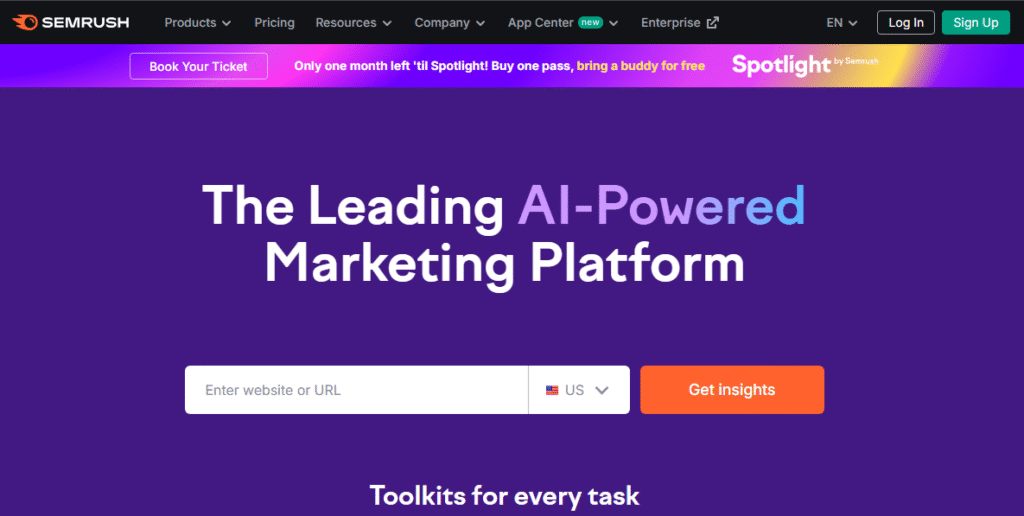
Semrush is a popular SEO tool. It helps you analyze website traffic and do keyword research. With a free account, you can track your rankings. You can also view competitors and explore search trends. Its position tracking tool shows your website’s rankings over time for various topics. This makes it a great resource for beginners. They can learn about SEO metrics and grow their online presence.
Pros:
- Offers free tools for keyword research, competitor analysis, and link building.
- Interactive reports make it easy to track performance over time.
Cons:
- Free accounts have limited results per tool.
- Some basic SEO knowledge is needed to use the platform effectively.
Why it stands out:
Semrush gives users detailed reports on website performance and traffic. This helps them improve their SEO strategies.
7. Zapier: Best AI Tool for Connecting Apps

Zapier is a powerful tool that automates workflows by connecting different apps. For example, you can create a system that automatically adds every new Gmail sender’s email to a spreadsheet. With Zapier’s AI assistant, you can describe your desired workflow and it will create it for you. Automation is now easy for beginners. They can save time and increase productivity.
Pros:
- No limit on the number of Zaps you can create.
- AI assistants can generate documentation explaining each workflow.
Cons:
- Free accounts allow only 100 tasks per month.
- Troubleshooting broken Zaps can be challenging.
Why it stands out:
Zapier provides clear, step-by-step instructions for setup. It’s easy for anyone to automate tasks without experience.
8. Agent.ai: Best AI Tool for Productivity

Agent.ai lets you create and hire AI “agents” who act like virtual assistants for your business.
These agents can do tasks such as:
- Building marketing campaigns
- Researching trends
- Gathering information from sources like Google and YouTube.
Agent.ai is different from regular chatbots. It helps to combine different AI tools like ChatGPT and Claude. This creates a powerful productivity solution.
No coding is required to create an agent. Using the drag-and-drop builder, you can set up an agent in minutes. This makes it easy for anyone, without any technical skills, to improve business efficiency.
Pros:
- Drag-and-drop interface with no coding required.
- Quick sign-up and easy to start building an agent.
- Learn about various AI models and resources while using the tool.
Cons:
- The free version has a limited number of tokens.
- Building agents may take time to master initially.
Why it stands out:
Agent.ai helps increase productivity by automating complex tasks. It allows them to use different AI tools in the same workflow.
9. Google Trends: Best AI Tool for Customer Research

Google Trends is a free tool that helps you understand what people are searching for online. Enter a keyword or topic, and Google shows you how its popularity changes over time. You can see where the searches are coming from.
You can explore related topics. You can also compare two keywords to see which is more popular. Google Trends is a great tool. It helps you discover what customers are interested in and how they search.
Pros:
- Provides real-time search data for accuracy.
- Offers multiple filters, including location and topic.
Cons:
- Limited customization beyond filtering.
- Related topics may not always appear consistently.
Why it stands out:
Google Trends is an important SEO tool. It works well with Google Search Console and Google Analytics. It helps you plan your content and marketing strategies better.
10. Steve.ai: Best AI Tool for Video Production

Steve.ai is a video creation tool. It creates both animated and live-action videos from scratch. You can even input the URL of a webpage, and the platform will analyze the content to create a video based on it. This makes it ideal for businesses that want simple videos without extensive editing. You can get started for free, but the most advanced features require a paid plan.
Pros:
- Creates videos from text, web pages, and audio.
- Unlimited video creation.
- Offers 3D-animated video options.
Cons:
- Limited video editing features.
- The free plan allows for creation and sharing, but not for downloading.
- Video scripts must be written manually; automatic script generation is not free.
Why it stands out:
Steve.ai can convert blog posts, podcasts, or web content into engaging videos. This saves you time and makes your content more engaging for your audience.
11. Thryv: Best AI Tool for Reputation Management
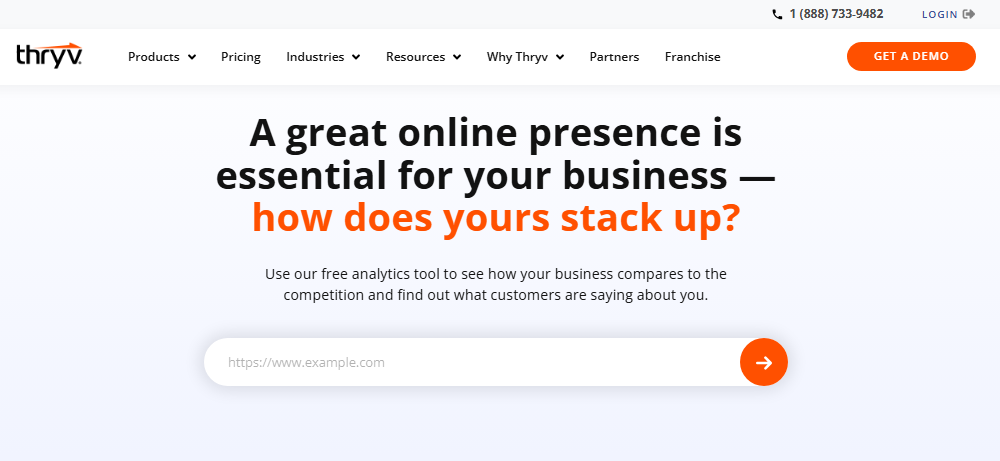
Thryv offers a free online presence scanner tool for businesses. It shows how visible your business is online. It checks your company’s mentions on sites like Google, Yelp, and social media. It then compiles the results into a detailed PDF report. This report includes reviews, social mentions, and key insights. These help you understand your digital reputation.
This is a valuable tool for small business owners who want a quick overview of how their brand appears online. However, it may not be as helpful if your business is not active on social media or listed in online directories.
Pros:
- Generates a comprehensive report in minutes.
- Designed specifically for small business owners.
- Offers a downloadable PDF version of the results.
Cons:
- Reports need to be refreshed to update analytics.
- Provides data but does not offer recommendations.
Why it stands out:
Thryv’s Online Presence Scanner helps you easily track your online reputation. It shows you what customers think about your business. It also reveals where your brand is appearing on the web.
12. Gliglish: Best AI Tool for Customer Service Training

Gliglish is an AI language learning tool. It helps users practice real-life conversations and situations. Gliglish helps you learn by creating fun role-play sessions. You can practice giving directions, greeting customers, or describing your daily routine. These sessions feel like real-life interactions. Pick your language and choose a situation to practice. The AI chatbot will help guide the chat. It will also suggest responses to improve your communication skills.
Gliglish supports nearly 40 languages. It’s a great tool for businesses. Train customer service teams or help individuals prepare for real-world interactions. You can also ask their support team for custom practice scenarios. This helps make your learning experience fit your needs.
Pros:
- Practice realistic situations, such as checking into a hotel or talking with customers.
- Text-to-audio features help improve pronunciation and speaking skills.
Cons:
- The exercises translate the instructions, which can make them slightly confusing.
- You can only have limited conversations unless you upgrade to a premium plan.
Why it stands out:
The roleplay-style practice makes Gliglish more engaging than traditional language learning tools. It feels like a real chat. This helps you build important communication skills for customer service and professional interactions.
13. Taskade: Best AI Tool for Project Management

Taskade is an AI project management tool. It helps teams efficiently plan, organize, and execute projects. Describe your project, including goals, deadlines, and key milestones. Then, Taskade’s AI will create a custom action plan for you. It creates a project timeline. It breaks down tasks into steps. It also adjusts plans based on your feedback.
The platform features a shared dashboard. You can assign tasks to team members. Then, you can monitor progress and track performance over time. Taskade’s built-in AI helps you streamline workflow. This reduces planning time, allowing your team to focus on execution.
Pros:
- Calendar view makes it easy to track deadlines and project milestones.
- Tasks can be assigned to specific team members for better accountability.
Cons:
- Free plans come with limited AI usage.
- The interface can feel cluttered and slightly overwhelming for new users.
Why it stands out:
Taskade makes planning fast. It creates complete project outlines and task lists in minutes. It’s a great tool for teams who want to stay organized. It helps move projects forward quickly, so you don’t waste hours on manual setup.
14. Beatoven.ai: Best AI Tool for Music Generation

Beatoven.ai is an AI music tool. It helps you create basic tracks in just a few minutes. Simply write your lyrics and choose a genre like rock, techno, classical or country. The platform will generate music that fits your style. Beatoven.ai makes it easy to find background music for videos, jingles for your brand or catchy tunes for social media. It’s easy and great for beginners.
You can download your music as an MP3 file and share it directly on platforms like TikTok. This tool allows you to change the percussion, bass, chords and melody to give your track a more personalized touch.
Pros:
- Produces high-quality, royalty-free music tailored to your chosen genre.
- Easy sharing options for social media platforms.
- Basic editing tools let you customize different elements of the track.
Cons:
- Limited customization features are compared to professional music software.
- No vocal generation, only instrumental music.
- Downloading MP3 files requires a paid plan.
Why it stands out:
Beatoven.ai doesn’t just create one version of your song. It offers up to four versions, so you have more creative choices.
15. Buffer: Best AI Tool for Social Media Management

Buffer is a powerful social media management tool. It helps you plan, schedule, and track content. You can manage everything from one dashboard. Its built-in AI assistant helps you create content. It writes engaging posts, suggests hashtags, and brainstorms future ideas for your audience. Buffer is a great choice for businesses and creators. It helps them maintain a consistent online presence. Plus, they don’t have to spend hours planning content.
Many of the core features are free, such as post scheduling and social media integration. However, advanced analytics and detailed reporting require a paid plan. This can be a limitation if you want deeper insights into performance.
Pros:
- Offers a visual content calendar for scheduling and managing posts.
- Integrates smoothly with major social media platforms.
- Includes powerful AI tools to generate content ideas and captions.
Cons:
- Advanced analytics and reporting are locked behind a premium plan.
- New users may face a learning curve with advanced features.
Why it stands out:
Buffer’s AI assistant helps you write posts. It suggests relevant hashtags and content ideas. It saves you time and increases your social media reach.
16. Whisper: Best AI Tool for Audio Generation
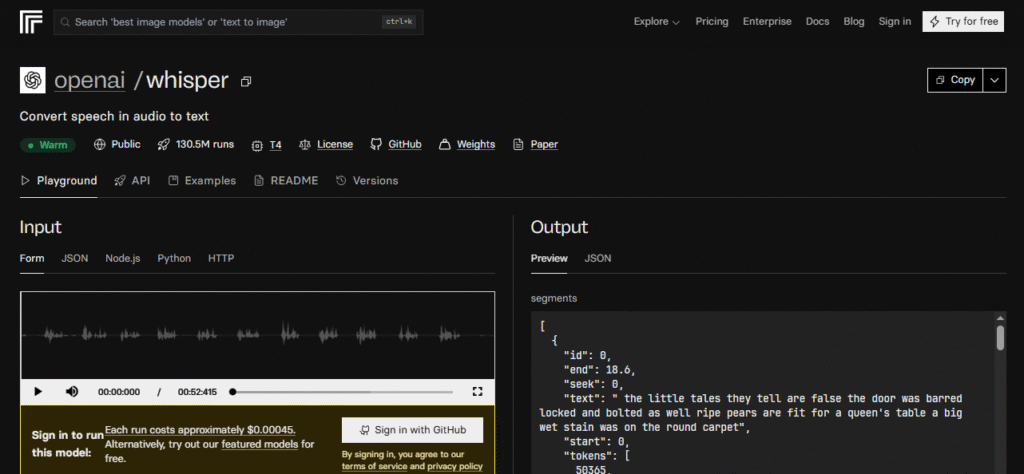
Whisper from OpenAI is a powerful AI tool. It converts spoken audio into precise written text. It’s perfect for businesses that create podcasts, create videos, or conduct phone meetings. With Whisper, you can quickly convert audio files into detailed transcripts. It’s great for creating summaries, creating documentation, or converting content into blog posts and articles.
While its transcription accuracy is impressive, the tool isn’t suitable for most beginners. It requires a GitHub account to set up, and its interface is more technical than the other AI tools on this list.
Pros:
- Provides highly accurate audio-to-text transcriptions.
- Simple yet efficient tools for converting spoken content.
- Offers options to refine and edit transcripts.
Cons:
- Requires a GitHub account and some technical setup.
- Not ideal for beginners due to its complex interface.
- Can only process audio files (no live transcription support).
Why it stands out:
Whisper is great for converting conversation, podcast, and video audio into clear text. It saves you hours of manual transcription work.
17. Free AI Assistant: Best AI Tool for Personal Planning
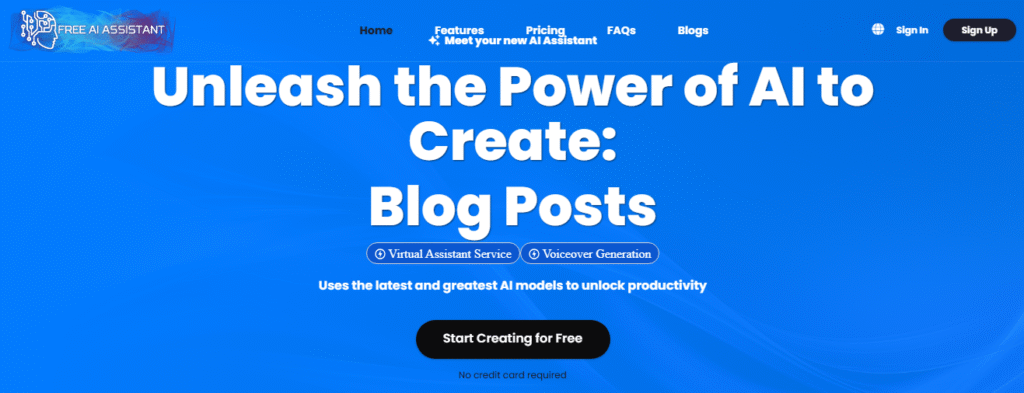
Free AI Assistant is presented separately because it helps you choose the type of AI chatbot that best suits your needs. This tool makes it easy to chat with a real expert. When you chat with a travel chatbot, get advice from a coach, or ask for financial advice, the conversation feels real. The tool helps simplify everyday tasks. It can organize plans, analyze files, and even create images.
Its versatility is its biggest strength. However, with so many tools available, new users may feel overwhelmed. Also, the tool has very little instruction. This means there is a short learning curve at the beginning.
Pros:
- The “AI File Chat” feature can read, analyze, and summarize documents.
- Can generate and analyze images directly within the platform.
Cons:
- The wide range of tools may feel confusing for beginners.
- Limited guidance or tutorials for using each tool.
Why it stands out:
Free AI Assistant combines many helpful chatbots in one platform. It’s a valuable, no-cost resource for personal productivity, planning, and daily decision-making.
18. Wordvice: Best AI Tool for Translating Text

Wordvice is not just a simple text translator. It is a powerful set of AI writing tools that helps you improve and refine your content. Wordvice does more than just translate text into 30+ languages. It also has an AI proofreader. This tool checks grammar, spelling, and syntax. It even has an AI recognition tool. This tool checks whether your text sounds human. This is great for AI-generated content, helping it read more naturally.
Other helpful features include a paraphrasing tool, a plagiarism checker, and a Microsoft Word extension for easy editing. It is a simple, user-friendly platform. You can start using it right away, no sign-up is required.
Pros:
- No account is needed, you can start using it immediately.
- Supports text translation in over 30 languages.
Cons:
- Each tool has a 500-word limit.
- The AI proofreader currently supports only 12 languages.
Why it stands out:
Wordvice is a simple, all-in-one tool that goes beyond translation. It helps you write, edit, and humanize your content without the hassle of logging in.
19. Browse AI: Best AI Tool for Competitor Research

Browse AI is a smart tool for competitor analysis. It helps you automatically track changes to other websites. For example, you can track a competitor’s homepage. Browse AI will take screenshots every few weeks. It creates a visual timeline of updates. You can easily compare changes over time. This includes new product launches, updated messaging, or design changes.
This tool goes beyond screenshots. It can detect text edits, image changes, and other site updates. These changes can show strategic changes in your competitor’s approach. It is a powerful solution for businesses that want to outperform their competitors. They can avoid the hassle of manually checking websites.
Pros:
- Comes with free templates for tracking competitor sites, including LinkedIn.
- Allows automation of monitoring tasks to run in a specific sequence.
Cons:
- Limited support and onboarding resources.
- Free accounts are limited to only 50 AI credits.
Why it stands out:
Browse AI offers advanced tracking capabilities but is surprisingly easy to use. It is a powerful tool for understanding competitors’ strategies. It helps in making smart business decisions.
20. Reclaim.ai: Best AI Tool for Scheduling & Workflow Optimization
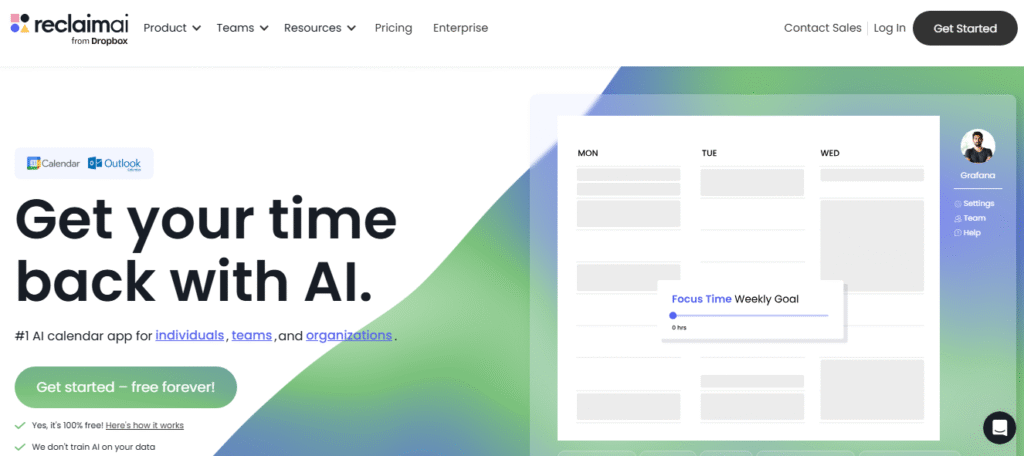
Reclaim.ai is an AI scheduling assistant. It helps you manage meetings, optimize your time, and increase productivity. Its key feature is Smart Meetings. It automatically schedules meetings based on your availability. No more emailing back and forth! You can create and upload “habits.” These are recurring tasks that Reclaim.ai adds to your calendar every day. This helps you stay consistent with your routine.
A productivity reporting tool also gives you daily insights into your time usage. It helps you easily identify areas for improvement. It may take time to learn all the features, but it’s worth it. This tool helps you stay focused and organized.
Pros:
- Offers a wide range of free scheduling and workflow features.
- Perfect for business owners with busy or structured schedules.
- Seamlessly integrates with Google Accounts.
Cons:
- The onboarding process can be time-consuming.
- Some features may feel unnecessary for small businesses.
Why it stands out:
Reclaim.ai is an AI-powered calendar app. It schedules meetings and analyzes your workflow. It helps you increase your productivity and efficiency.
21. Perplexity: Best AI Tool for Data-Driven Research

Perplexity is an AI research assistant that complements traditional search engines like Google. Unlike ChatGPT, it provides accurate and current answers. These answers are backed by research. They answer questions that are often difficult to find online. For example, you can ask, “Who are the most popular YouTube creators of 2025?” Perplexity will provide a detailed answer. This includes follower count, notable videos, and other important information.
This tool works like a personal research assistant. It helps businesses and people quickly gain data-driven insights. It also suggests related topics. It allows you to explore new areas and find information you might not have thought of.
Pros:
- Cite sources for every reply, ensuring that the information is trustworthy.
- Perplexity provides answers to questions with image and video responses.
Cons:
- Requires an account to save conversations.
- Pro accounts are limited to 300 searches per day.
Why it stands out:
Perplexity is perfect for anyone who needs reliable, research-based answers. Its suggested prompts encourage deeper exploration of topics. This makes it a useful tool for both business and academic research.
22. Photoroom: Best AI Tool for Image Editing
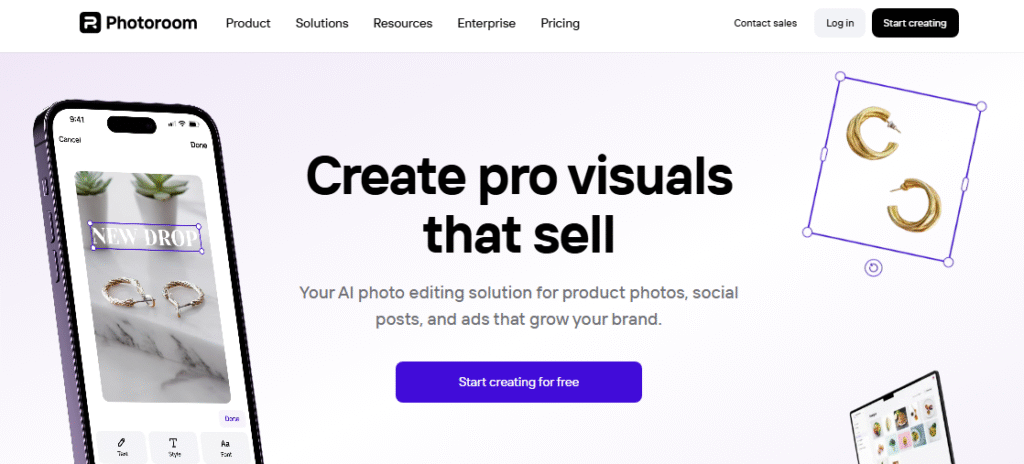
Photoroom is an easy-to-use graphic design tool. It helps you quickly edit and enhance images. You can remove backgrounds, add new elements, or make simple changes. These steps can turn your images into professional visuals. It’s great for small jobs. You can use it to create transparent images, banners, or social media graphics.
The free version lets you download as many as you want. However, to access premium features like resizing, AI shadows, and templates, you’ll need to upgrade.
Pros:
- Extremely user-friendly for beginners.
- Free users can download unlimited images.
- Offers 24/7 customer support for all users.
Cons:
- Advanced features require a premium subscription.
- Free downloads may include a watermark.
Why it stands out:
Photoroom makes photo editing quick and easy. Users can remove backgrounds and enhance visuals in seconds, even without design experience.
Final Thoughts
Free AI tools for businesses are now essential. They help save time, increase productivity, and keep companies competitive.
AI writing tools like ChatGPT and Gemini, and image and video tools like Canva and Steve.ai make tasks easier. They save hours of manual effort.
Tools like Semrush, Google Trends, and Browse AI help you research and track competitors. They also optimize your marketing strategies. Tools like Reclaim.ai and Taskade keep your workflow organized and efficient.
Many of these tools have powerful free versions. This allows businesses of any size to try AI without spending money upfront. Whether you need help with copywriting, design, social media, transcription, or project management, this list has a tool for you.
Using these AI tools in your daily work helps you simplify tasks. You can make better decisions and focus on growing your business. Plus, you’ll stay up to date on trends and customer needs. Learn more about how language models like ChatGPT and Gemini work.
Frequently Asked Questions
How to Use Free AI Tools in Your Small Business?
Using AI in your small business can save you time. It reduces repetitive tasks and helps you create more content with less effort. Try one or more of the free AI tools listed above. Explore their features to see which ones meet your business needs.
What are the best free AI tools?
Top Free AI Tools by Category:
- Small Business Management: ChatGPT, Gemini
- AI Assistant: Claude, Perplexity
- Language Learning: Gliglish
- Automation Tools: Zapier, Taskade
- Marketing & Design: Canva, Semrush
Why Use Free AI Tools?
Free AI tools carry minimal risk. You can try them out, see what works, and keep the ones that help you optimize your workflow. Many small business owners say that AI helps them work more efficiently. It helps them operate like a big company. These tools are great for busy entrepreneurs.
Are all AI tools free?
Not every AI tool is free. Paid versions often offer additional features, higher usage limits, and fewer restrictions. How profitable a premium plan will be depends on your business goals, workflow needs, and budget.
How many free AI tools are there?
There are dozens, if not hundreds, of free AI tools available today. Small business owners can try out different options. This helps them choose the best tools for their needs.