UI animation tools play a big role in helping users understand how to use a product. Best UI Animation Tools make designs more engaging and improve the overall user experience. To create amazing UI animations, designers need the right tools to bring their ideas to life.
Many UI animation tools are available now, but not all meet designers’ needs. This can lead to frustration. Choosing the right tool can save time and make the design process much smoother.
As a UI agency, we know how important animations are in enhancing user interfaces. They help to create designs that engage users and attract attention. As designs become more dynamic, using top animation tools is essential for designers.
In this article, we’ve listed the 7 Best UI Animation Tools. We chose these based on user reviews and ratings from trusted sources. Read on to discover which tools can help take your designs to the next level!
If you’re looking for this type of animation, feel free to reach out to us.
7 Best UI Animation Tools for Designers
Are you still confused about animation tools for UI? The best UI animation tools help you make smooth transitions, motion effects, and interactions. These features enhance the user experience with your product.
These tools let designers create animations that look great and serve a purpose. Choosing the right one is important to make your project stand out. There are options for everyone. Beginners can start with basic features, while experts can use advanced tools.
Good animation can change how users feel about your design. The right tool can save time and make your work better.
Explore these 7 best UI animation tools to find the perfect one for your needs and bring your ideas to life.
1. Adobe After Effects
Website: https://www.adobe.com/aftereffects

Adobe After Effects is one of the best UI animation tools. It’s a best tool for ui animation, motion graphics, and visual effects. It’s the best tool for making awesome animations and editing videos, films, and web projects. Many professionals rely on it for its many features and flexibility.
Mr. Tanvir Hossain, our Lead Motion Designer, discussed Adobe After Effects.
He explained, “I use it because it’s the most popular UI animation software with the most features. It also offers many scripts and plugins that speed up workflow. Plus, it integrates well with design tools like Figma and Adobe XD.”
He noted that other tools exist for making UI animations, like Framer and Principle. But After Effects truly stands out. It lets users make complex animations with complete control. This level of control is often missing in simpler tools.
Key Features of Adobe After Effects
- Advanced Compositing: Combine videos, images, and effects in one place.
- Effects Library: Use a variety of visual and audio effects to make your projects stand out.
- Keyframe Animation: Control animations frame by frame for smooth results.
- 3D Tools: Create designs in 3D for more dynamic visuals.
- Plugin Compatibility: Add extra tools with third-party plugins.
- Motion Tracking: Add graphics to live-action videos with precision.
- Customizable Templates: Use templates to create professional videos faster.
- Color Grading: Adjust tones and colors to perfect your video’s look.
Adobe After Effects has some drawbacks. The interface can feel overwhelming for beginners. But users can customize it to cut down on clutter. The software uses a lot of resources. This can slow down your computer or even cause crashes.
Still, Adobe After Effects is a favorite among professionals. It provides unique creative options for animation and motion design.
2. Protopie
Website: https://www.protopie.io/
ProtoPie is a powerful tool for creating UI animations. Its clear and simple interface makes it easy to design interactions. You can use objects, triggers, and responses. You can skip wireframes and rough mockups. Just dive right into high-fidelity prototyping.
It operates without issues with Sketch, Figma, and Adobe XD. You can import individual artboards with minimal effort. This helps save time and simplifies your workflow. ProtoPie works on both macOS and Windows. You can switch devices with little effort by logging into ProtoPie Studio.
You don’t need coding skills to create interactions. Select objects, pick triggers, and link them to actions. This sets how your prototype will act.
ProtoPie supports smart device sensors. These include tilt, sound, compass, proximity, vibration, and 3D Touch. This gives you more control to create interactive and engaging prototypes.
Key Features of ProtoPie
- Cross-Platform: Works on macOS and Windows.
- No Coding: Build interactions easily with triggers and actions.
- Sensor Integration: Use device sensors for dynamic prototypes.
- Cloud Sharing: Share and get feedback in real time.
- Multi-Device: Design for connected experiences across devices.
- Custom Animations: Full control over smooth, tailored animations.
ProtoPie lets designers turn ideas into reality. It offers strong features and an easy-to-use interface.
3. Principle
Website: https://principleformac.com/

Principle is a powerful tool for creating interactive and animated user interfaces. Import your designs from Figma or Sketch easily. This makes it simple to bring your ideas to life. It’s great for creating app flows with many screens. You can also design new animations and interactions.
If you’re familiar with Sketch, you’ll find Principle easy to use. The app works well with artboards, allowing you to see each app state, screen, and UI interaction at once. This makes it easier to manage your designs and ensures a smooth workflow. A standout feature is its quick tap transitions between screens.
Some designers think the built-in fonts are unattractive and hard to use. Additionally, creating complex animations may be challenging for some users.
It combines a simple design with powerful features. This helps you make interactive apps fast.
Key Features of Principle
- Interactive Design Tools: Create animations and transitions for better user experiences.
- Drag-and-Drop Simplicity: Design quicker with an interface that is easy to use.
- Tap Transitions: Connect screens and actions with tap gestures.
- Real-Time Previews: Watch your designs perform on devices as you build them.
- Custom Easing Options: Adjust animations with precision using advanced easing curves.
Principle makes it simple for designers to turn their ideas into engaging designs. The developers built its tools to save time and improve the creative process.
4. Origami
Website: https://origami.design/
Origami is a free UI animation tool created by the Metaverse design team. It’s a popular choice for building interactive designs and animations. This feature helps you test and refine your designs with great efficiency.
Origami allows you to import files from Sketch and Photoshop without losing layers. You can link, animate, and change them in a way that suits your needs. It also supports full-screen presentations, making it easy to share ideas across devices.
One drawback is the lack of collaboration tools. There’s no option to leave comments or check version history, making it less ideal for team projects. This tool is best for beginners or freelancers who work alone. It is worth noting that Origami is available only for Mac users.
Key Features of Origami
- Layer Importing: Import files from Sketch or Photoshop while keeping your layers intact.
- Interactive Prototyping: Link and animate elements to create prototypes.
- Full-Screen Presentation Mode: Present designs in full screen on any device.
- Customizable Components: Build reusable components to save time.
- Completely Free: Origami Studio is free, perfect for testing new ideas.
Origami Studio brings ideas to life with precision and flexibility. It’s a great tool for exploring and creating without breaking the bank.
5. Flinto
Website: https://www.flinto.com/
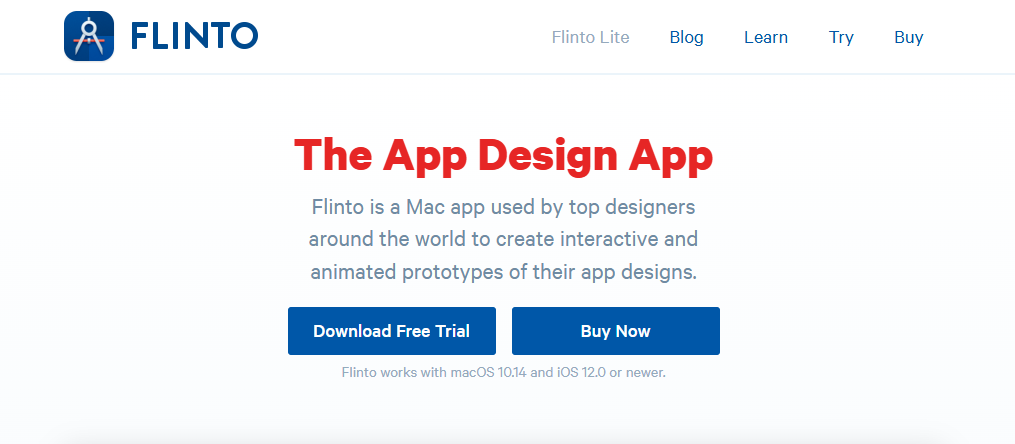
Flinto is a free tool for creating animation prototypes for web and app designs. It helps designers create prototypes quickly. It’s lightweight, so it won’t slow down your computer. With its Sass package, you can easily create CSS transitions and animations. It even provides code tutorials, making it helpful for beginners and experts.
Flinto is a smart choice for adding animations and transitions. You don’t need heavy software like After Effects. You can also include videos and GIFs in your designs. Many users appreciate its performance. It lets you add effects without slowing down your system.
It works with Sketch. You can connect artboards to make animations, transitions, and click paths quickly. This option speeds up the workflow and helps refine designs faster.
But, Flinto does have its drawbacks. It only works on Mac and iOS. You also need to download the iOS Viewer app to preview prototypes. Some users feel the learning curve is steep, and the interface could be better. It also doesn’t allow file exports, which makes sharing specifications more difficult.
For Mac and iOS users, Flinto offers a solid option for animation prototyping. If these limitations don’t affect your work, it is worth trying.
Key Features of Flinto
- Animation Design: Flinto helps designers create smooth, visually appealing animations easily.
- Transition Designer: It includes a transition designer for creating custom screen animations.
- Micro-Interaction Prototyping: Designers can use micro-interactions to improve UX.
- Sketch Integration: Flinto integrates with Sketch, allowing users to import designs.
- Simple Previewing: Prototypes can preview on devices with the Flinto Viewer app.
Flinto is a handy tool for making dynamic prototypes. It’s a great addition to your design toolkit.
6. Invision Studio
Website: https://www.invisionstudios.com/

InVision Studio is a free animation tool. It provides a free plan that lets you work on one project. The free plan has fewer features, but it lets you explore the tool for an unlimited time. This way, you can decide if an upgrade is right for you.
InVision Studio is a popular ui animation prototyping tool. It lets you create interactive mock-ups that feel like functional websites. This is great for presenting ideas to clients. It also supports mobile prototyping with gestures like swiping, tapping, and sliding. You can even test designs on an iPhone. Features such as screen recording, video, and audio help review user feedback.
One limitation of InVision Studio is that it isn’t a design tool. You need to design screens in another program and upload them for prototyping. For some, this extra step might feel inconvenient.
Overall, InVision Studio is a solid option for testing animations and creating prototypes. The free plan is helpful to decide if it meets your needs before upgrading.
Key Features of InVision Studio
- Interactive Prototyping: Build clickable prototypes to test user flows.
- Animation Tools: Create advanced animations with timeline editing.
- Collaboration: Share prototypes with your team and get feedback in real-time.
- Integrated Workflow: Works with tools like Sketch for an efficient process.
- Cloud Sharing: Upload and access prototypes anywhere with cloud storage.
InVision Studio is a great tool for design teams. It offers prototyping, animations, and easy collaboration.
7. Framer
Website: https://www.framer.com/
Framer is a free tool with powerful UX animation features. It is prototyping software for mobile devices. It helps designers create layouts, add components, and build interactive designs. Animations are simple to develop, making it a favorite for creating high-quality prototypes.
Framer stands out with its advanced interaction capabilities. With Framer, even basic ideas look polished and professional.
It also allows teams to work efficiently by integrating with Photoshop and Sketch. Plus, the Framer X store offers many free design resources, saving time for designers.
Farmers need some basic programming skills. This can be a hurdle for beginners. Users say that better coding tutorials would help them learn the tool more easily.
Key Features of Framer
- Interactive Design: Framer lets you create prototypes with realistic animations and transitions.
- Integration: It works with tools like Photoshop, Sketch, and Figma to simplify workflows.
- Custom Code: Add custom code to boost functionality and create unique designs.
- Framer X Store: Access a library of pre-built components, icons, and templates to save time.
- Real-time Collaboration: Teams can work live, sharing ideas and making instant changes.
- Responsive Design: Framer supports adaptive layouts for flawless designs on any screen sizes.
For teams wanting top-notch prototypes and interactive designs, Framer is a great choice.
Wrap Up
Users today expect interfaces to be simple, effective, and visually engaging. As websites and apps grow in number, responsive and human-centered designs are crucial. A great app or website isn’t just about appearances—it’s about functionality. UI animation adds fun and interactivity to your app or website.
To achieve this, using the best UI animation tools is essential. UI animation prototyping tools and advanced software help designers craft smooth user experiences. Finding the best animation tools is key. The right tools make your designs engaging and effective. You need general UI UX animation tools.
In TRTTech, we focus on delivering designs that not only look stunning but also work perfectly. We aim to use the best tools for UI animation to create solutions that satisfy both our clients and their users. We can help if you need help with user interface animation. If you’re looking for the best UI animation tools for your project, reach out to us.
Your feedback is invaluable to us. It helps us refine our process and deliver even better results. We want to hear from you! Please share your thoughts on UI animation.
FAQs: Best UI Animation Tools
What are UI animation tools?
UI Animation Tools are programs that help designers create animations for user interfaces.
Why is UI animation important?
UI animation improves user experience by making interfaces intuitive, engaging, and responsive.
Which types of UI animations?
Common types include loading animations, hover effects, transitions, micro-interactions, and scrolling effects.
How to Choose the Best UI Animation Tool?
Consider ease of use, design process integration, features, and platform compatibility.
Where do we use UI animations?
UI animations are important for websites, apps, and software. They help guide users and make things easier to use.
How to Animate UI?
Use tools like After Effects, Figma, CSS, or JavaScript to add animations where they enhance the UI experience.
How to Create UI Animations?
Start by understanding your design goals and user needs. Create sketches or wireframes, then use tools like Lottie, Framer, or GSAP to bring them to life.
How to Make UI Animation?
Use Figma or Principle for simple animations, and CSS, GSAP, or React Spring for complex ones.