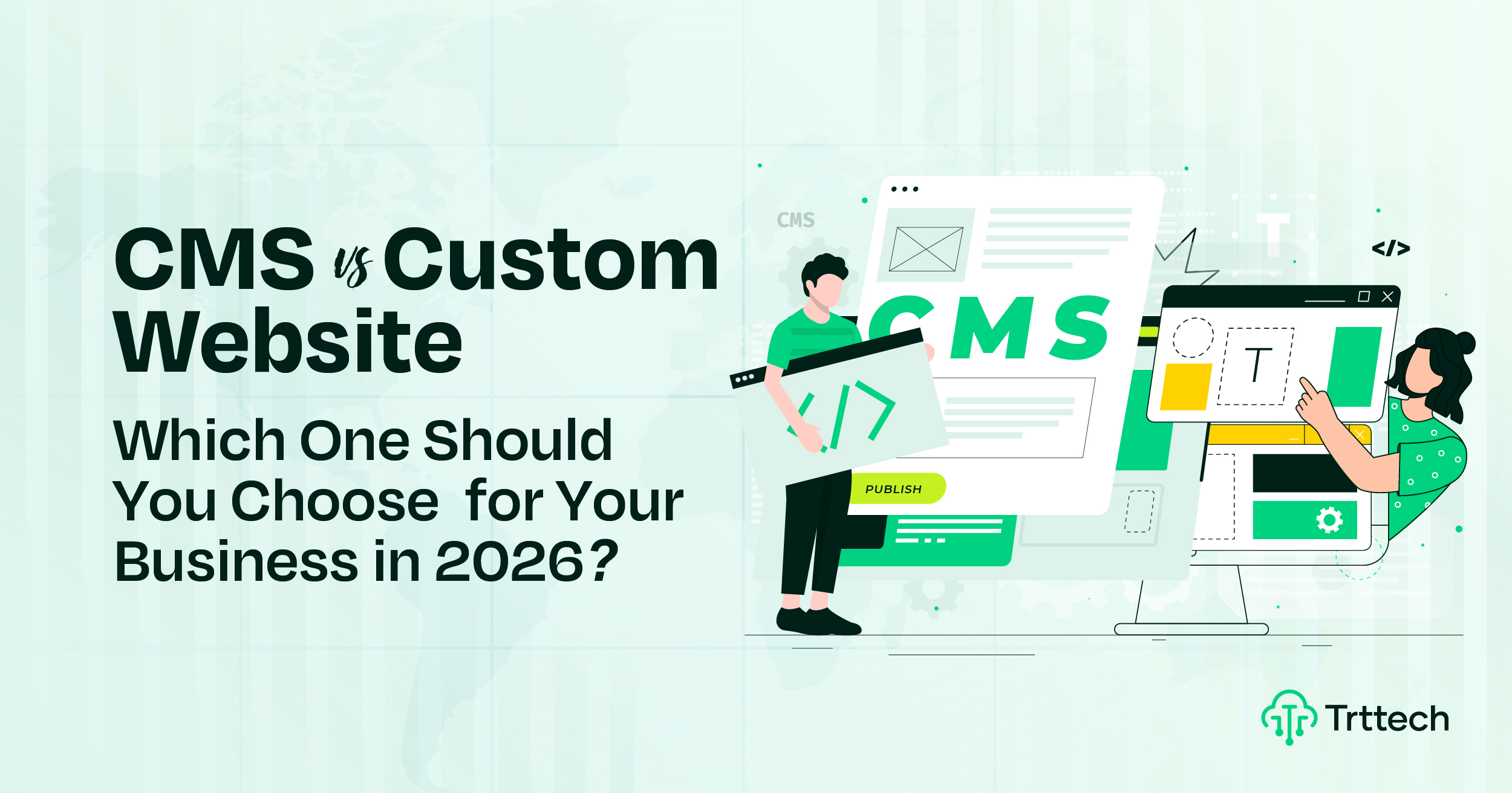
Starting a new online project? The tech choices can be tough. A key decision is CMS vs. custom website development. This guide will help you choose.
What’s the difference? A CMS (like WordPress) is a pre-built platform. A custom website is coded from scratch. It’s a choice between speed and total control.
Ask yourself: Do you need a ready-made website solution or a unique build?
Your choice affects budget, launch speed, and growth. A CMS is a great small business website solution. Complex needs or unique features may require a custom website.
Plan carefully—choosing the right solution in the CMS vs custom website development decision can save you money, improve performance, and scale seamlessly with your business growth. Let’s find the perfect website approach for your goals.
What Is a CMS Website?
A CMS website is built using a Content Management System. This CMS website definition means it is software that lets you create and manage website content easily without coding. The core benefits of using a CMS are speed and simplicity.
How CMS websites work is user-friendly. You use a visual WYSIWYG editor and a CMS dashboard to control content. This allows for non-technical website management, so you can update website without coding skills. The system uses a templates and themes system for design and plugins and extensions for added features.
When reviewing popular CMS platforms, WordPress remains a leading choice. Other top content management systems include Shopify for ecommerce and Webflow for visual design. These platforms offer modern CMS features and support modular website design, making them a practical website solution.
What is a custom website?
CMS vs Custom Website: Key Differences
Understanding the difference between a CMS website and a custom website helps you choose the right option. Both have benefits, but they serve different business needs.
A CMS website is faster and cheaper to build. Most CMS sites can go live in a few weeks using ready-made themes and plugins. A custom website takes more time but delivers unique features made only for your business. CMS costs are lower at the start, while custom development needs a higher initial budget.
When it comes to flexibility and scalability, custom websites perform better. CMS platforms often have design and feature limits. Custom websites can grow easily as your business expands.
Website performance and security also differ. Custom websites are usually faster because they are built with clean code. CMS sites may face security risks due to third-party plugins, while custom websites offer stronger control and protection.
Comparison: CMS vs Custom Website Development
Feature | CMS Website (e.g., WordPress, Shopify) | Custom Website (e.g., Laravel, React) |
Development Time | Fast. Can be launched in a few days or weeks using pre-made themes. | Slow. Takes weeks or months as every feature is coded from scratch. |
Initial Cost | Lower. affordable startup costs; main expenses are hosting and premium themes. | Higher. Requires a significant budget for specialized developers and planning. |
Flexibility | Limited. You are confined to the limitations of the chosen theme and plugins. | Unlimited. You can build any feature or design exactly how you envision it. |
Scalability | Moderate. Can become bloated and slow if too many plugins are added over time. | High. Built specifically to handle growth and increased traffic efficiently. |
Performance & Speed | Variable. Often carries unnecessary code from themes that can slow down load times. | Optimized. Contains only the code needed, resulting in faster load times. |
Security | Vulnerable. Popular platforms are frequent targets for hackers; requires constant updates. | Stronger. Harder to hack due to unique code structure, provided best practices are followed. |
Maintenance | User-Managed. You can often handle updates for plugins and themes yourself. | Developer-Reliant. Requires technical expertise or a dedicated team for updates and fixes. |
SEO Capabilities | User-Friendly. Plugins make it easy to manage tags and content without coding. | Technical Precision. Allows for complete control over technical SEO and site structure. |
Pros and Cons of CMS Websites
When deciding whether a CMS is right for your business, it’s helpful to look at a clear list of the pros and cons of CMS websites. Understanding both the pros and cons of CMS will help you make an informed decision. Here are the key things to consider.
Pros of Using a CMS Platform:
- Faster Launch: One of the main benefits of using a CMS platform is a faster website launch with CMS. You can go from concept to live site quickly, often in just a few weeks.
- Lower Initial Cost: It offers a lower cost to build a website, making it a great, affordable website solution for startups and small businesses on a tight budget.
- Easy Content Management: You can easy to manage content CMS systems provide. With a user-friendly admin dashboard, you can perform no-code website updates yourself.
- Large Ecosystem: You get access to a huge library of plugins and themes, including helpful SEO plugins for beginners that can improve your site’s visibility without technical knowledge.
Cons and Downsides of CMS Websites:
- Limited Flexibility: You often run into CMS flexibility limitations. Designs can feel generic due to template-based design, and custom functionality hard to implement.
- Plugin Dependency: Your site’s features rely on third-party plugins, which creates a plugin dependency risk. This can lead to plugin conflicts and issues that are difficult to solve.
- Performance Issues: Many people ask, “Why is my WordPress site so slow?” The answer is often slower page speed with bloated CMS code and too many plugins, which hurts user experience.
- Security Risks: Security vulnerabilities in CMS plugins are a common problem. Popular platforms are bigger targets for hackers, requiring constant update management headaches.
Pros and Cons of Custom Websites
When considering a custom-built site, it is important to review the custom website pros and cons. The advantages of custom web development are significant, but they come with unique challenges. Answering the question, “Is a custom website worth it?” depends entirely on your specific business needs, budget, and long-term goals. Here is a breakdown of what to expect.
Pros of a Custom-Built Website:
- Full Control and Customization: The main benefit is full control over website code. You get complete design and functionality customization, which allows you to build a unique user experience (UX) design that perfectly matches your brand and workflows.
- Optimized Performance: Custom websites are built with only the necessary code. This results in optimized website performance and speed, as there is no bloat from unused theme features or plugins.
- Enhanced Security: With a unique codebase, you get enhanced website security custom development. These sites are not common targets like popular CMS platforms, making them harder to breach.
- Scalable Architecture: A custom site is built with a scalable website architecture for growth. This means it can handle increasing traffic and complexity as your business expands, giving you a competitive advantage with unique features.
Cons and Disadvantages of a Custom Website:
- Higher Upfront Cost: The most significant of the bespoke website disadvantages is the high upfront cost of custom website development. It requires a substantial investment in skilled developers.
- Longer Development Time: A custom website development timeline is much longer than a CMS build. It can take several months to go from planning to launch.
- Requires Technical Maintenance: You will have ongoing technical maintenance required to keep the site running smoothly. This often means you will need for dedicated developer or agency support for updates and changes.
CMS vs Custom Website: Which Is Better for Different Businesses?
Choosing the website type for your business depends on many factors, including your budget, goals, and industry. This website guide for different business types clarifies when a CMS is the smart choice and when a custom build is necessary.
When to Choose a CMS:
- Startups: A CMS is the best website for a startup needing to launch quickly. It supports rapid MVP website development and is a cost-effective website for new business ventures testing an idea.
- Small Businesses: A website for small business owners benefits from a CMS. It offers an affordable professional website that is easy to manage without technical help, fitting most service-based business website needs.
- New E-commerce: An ecommerce platform like Shopify is perfect for getting a store online quickly. It provides all the basic tools needed to start selling without a large initial investment.
When to Choose a Custom Website:
- Scaling E-commerce: For stores that need a unique ecommerce customer experience or are managing complex inventory and workflows, the Shopify vs custom ecommerce development choice leans toward custom.
- SaaS Products: The decision of CMS or custom for SaaS is clear: custom is required. Building a SaaS product tech stack involves custom dashboard development and robust user authentication and data security that a CMS can’t provide.
- Enterprise Companies: Large organizations need enterprise website solutions. A custom build is essential for handling complex compliance and security needs and for integrating website with enterprise systems (ERP, CRM).
Cost Comparison: CMS vs Custom Website
A detailed CMS vs custom website cost breakdown is a key part of any good website budget planning guide. While one option seems cheaper initially, the total cost of ownership website can tell a different story. This website development cost comparison will help clarify the financial differences.
Initial Development Cost
- CMS Website: The CMS website setup cost is significantly lower. You will pay for hosting, a premium theme, and maybe a few plugins. This makes the initial WordPress website cost 2026 very appealing for those with smaller budgets.
- Custom Website: The upfront cost of custom website development is much higher. This is a major custom website investment that covers expert developers’ time and extensive planning. When you see a high custom website price vs CMS, it’s because every element is built from scratch.
Long-Term Maintenance Cost
- CMS Website: You will have ongoing website maintenance costs from premium plugin licenses and CMS plugin and theme updates. As your site grows, you may need better hosting, increasing the monthly cost to maintain a website.
- Custom Website: You will likely need a custom website support retainer. This means retaining a developer for custom site changes and updates, which should be factored into your annual website budget planning.
Hidden Costs to Consider
- CMS Website: Be aware of WordPress hidden costs to watch for, like premium support fees, security services, and performance optimization costs if your site gets slow.
- Custom Website: Hidden fees can include the cost of adding new features later, website redesign costs down the road, and expenses for training team to use custom CMS. These factors influence the true return on investment (ROI).
SEO & Performance: CMS vs Custom
Search engine visibility and speed are non-negotiable for online success. This website performance comparison breaks down how a CMS vs custom website SEO strategy differs so you can make the right choice.
CMS Website Performance:
- Core Web Vitals: Achieving high scores can be challenging. WordPress Core Web Vitals performance often suffers due to heavy themes and code bloat.
- Page Speed Optimization: Optimizing CMS website speed usually involves installing caching plugins and image optimizers. However, you are often limited by the platform’s underlying architecture.
- Technical Flexibility: Most users rely on plugins like Yoast. While helpful, CMS SEO plugin limitations can restrict advanced users who need total control over their site’s structure.
Custom Website Performance:
- Core Web Vitals: Custom builds typically win the Core Web Vitals CMS vs custom battle. Developers can implement LCP, FID, CLS optimization directly into the code for a custom website for perfect PageSpeed score.
- Page Speed Optimization: You have access to advanced page speed optimization methods. This includes custom code for maximum performance, efficient server-side rendering (SSR) for SEO, and tailored caching strategies.
- Technical Flexibility: A custom build offers unmatched technical SEO flexibility. You have total control over custom URL structure and taxonomy control, implementing advanced schema markup, and XML sitemap customization without fighting against plugin restrictions.
When Should You Choose a CMS Website?
Deciding when to choose a CMS website can feel like a big step. If you’re asking, “Is a CMS right for my business?,” understanding the ideal CMS website use cases is key. Generally, a CMS is the perfect choice when your priorities are speed, budget, and ease of use. This simple checklist for choosing a CMS will help you determine if it’s the right fit for your project.
You should choose a CMS if:
- You need to launch a website quickly on a budget. A CMS is a budget-conscious solution when time-to-market is a top priority.
- Your team wants to update content yourself regularly. A CMS gives your marketing team needs control over content without needing a developer for every change.
- You have no in-house development team. A CMS provides the out-of-the-box functionality to get started and allows for self-sufficiency goal achievement.
- Your needs are straightforward, like a blog, portfolio, or a standard business site. Pre-designed templates are sufficient for these goals.
- You plan to run an e-commerce store with standard features. Platforms like Shopify are excellent examples of when to use WordPress/Webflow/Shopify.
- You are building a proof of concept or MVP website and don’t need highly unique or complex features from the start.
When Should You Choose a Custom Website?
Deciding when to choose a custom website involves looking beyond basic needs and planning for future growth. If you are asking, “Is a custom website worth it?,” this checklist for a custom built website can help you understand the specific custom website use cases where this strategic investment makes sense. It’s time to invest in custom development when a standard platform is holding you back.
You should choose a custom website if:
- You need unique functionality no plugin offers. A custom build is necessary when your business relies on complex business logic.
- Your platform must handle complex user workflows and data in a specific way that a CMS cannot support.
- You have a long-term scalability plan and need a site that can scale to handle millions of users or transactions.
- You must integrate with multiple proprietary/internal systems like an ERP or a specialized CRM.
- Your website is your core product (e.g., SaaS, web app) and serves as a competitive moat / advantage.
- Security and compliance are paramount, especially for industries like FinTech or healthcare. These are clear signs you’ve outgrown your CMS.
- Your brand requires a completely unique, immersive experience that templates cannot provide.
CMS + Custom Hybrid Approach (Best of Both Worlds)
If choosing between flexibility and ease feels confusing, a CMS + custom hybrid website is a smart solution. This approach gives you full design freedom while keeping content management simple. It is often called the headless CMS approach and works well for modern websites.
What is a Headless CMS?
A headless CMS separates the backend from the frontend. This is a key part of modern web development. The CMS is used only to manage content. The website displays content using APIs instead of themes.
The Hybrid Build: Custom Frontend + CMS Backend
In this setup, developers build a custom frontend, and the CMS handles content in the backend. For example, you can use React with WordPress or Next.js with Contentful or Strapi. Developers control the design and speed. Content teams update pages easily without code.
Benefits & Use Cases
This approach offers custom design, fast performance, and easy updates. It supports future growth and improves SEO with features like static site generation (SSG). It is ideal for marketing websites, interactive business sites, and enterprise blogs with custom features.
Final Verdict: CMS or Custom Website?
Choosing between a Content Management System (CMS) and a custom-built website comes down to your specific business needs, budget, and long-term vision. There isn’t a single “best” choice, only the right choice for your situation. This guide will help you make a final decision, followed by a simple summary table to compare the two options at a glance.
A Quick Decision-Making Guide
To find your answer, think about your primary goals.
Choose a CMS if:
- Speed and Budget are Priorities: You need a professional website launched quickly without a large upfront investment.
- You Need Control Over Content: Your marketing team needs to add blog posts, change text, and update pages frequently without a developer.
- Your Needs are Standard: A brochure-style site, a simple blog, or a standard e-commerce store fits your requirements.
- You Have Limited Technical Resources: You don’t have an in-house developer and prefer a solution that is easy to manage on your own.
Choose a Custom Website if:
- You Have Unique Functional Needs: Your business requires features or workflows that no existing plugin or platform can provide.
- Scalability is a Must: You anticipate high traffic volumes, complex user interactions, or large amounts of data.
- Performance is a Competitive Advantage: You need the fastest possible page speeds and complete control over technical SEO to outrank competitors.
- Your Brand Demands a Unique Experience: You want to create a one-of-a-kind, immersive digital experience that stands out from the crowd.
Summary Table: CMS vs. Custom Website
Factor | CMS (e.g., WordPress, Shopify) | Custom Website |
Initial Cost | Low | High |
Time to Launch | Fast | Slow |
Ease of Use | High (for non-technical users) | Low (requires a developer) |
Flexibility | Moderate (limited by templates/plugins) | Very High (unlimited possibilities) |
Performance | Good (can be optimized) | Excellent (built for speed) |
Scalability | Good (can be scaled with effort) | Excellent (built for growth) |
Best For | Startups, small businesses, standard blogs, and basic e-commerce. | SaaS products, large enterprises, and businesses with unique needs. |
# Need Help Choosing the Right Solution for Your Business?
Deciding between a CMS and a custom website is a significant step, and making the wrong choice can cost time and money. You don’t have to navigate this decision alone.
At TRT Tech, we specialize in helping businesses like yours build the perfect digital foundation. Whether you need a rapid, budget-friendly CMS launch or a powerful, custom-engineered platform, our team of experts is ready to guide you.
Contact TRT Tech today to book your free consultation. Let’s discuss your goals and build a solution that drives your success in 2026.