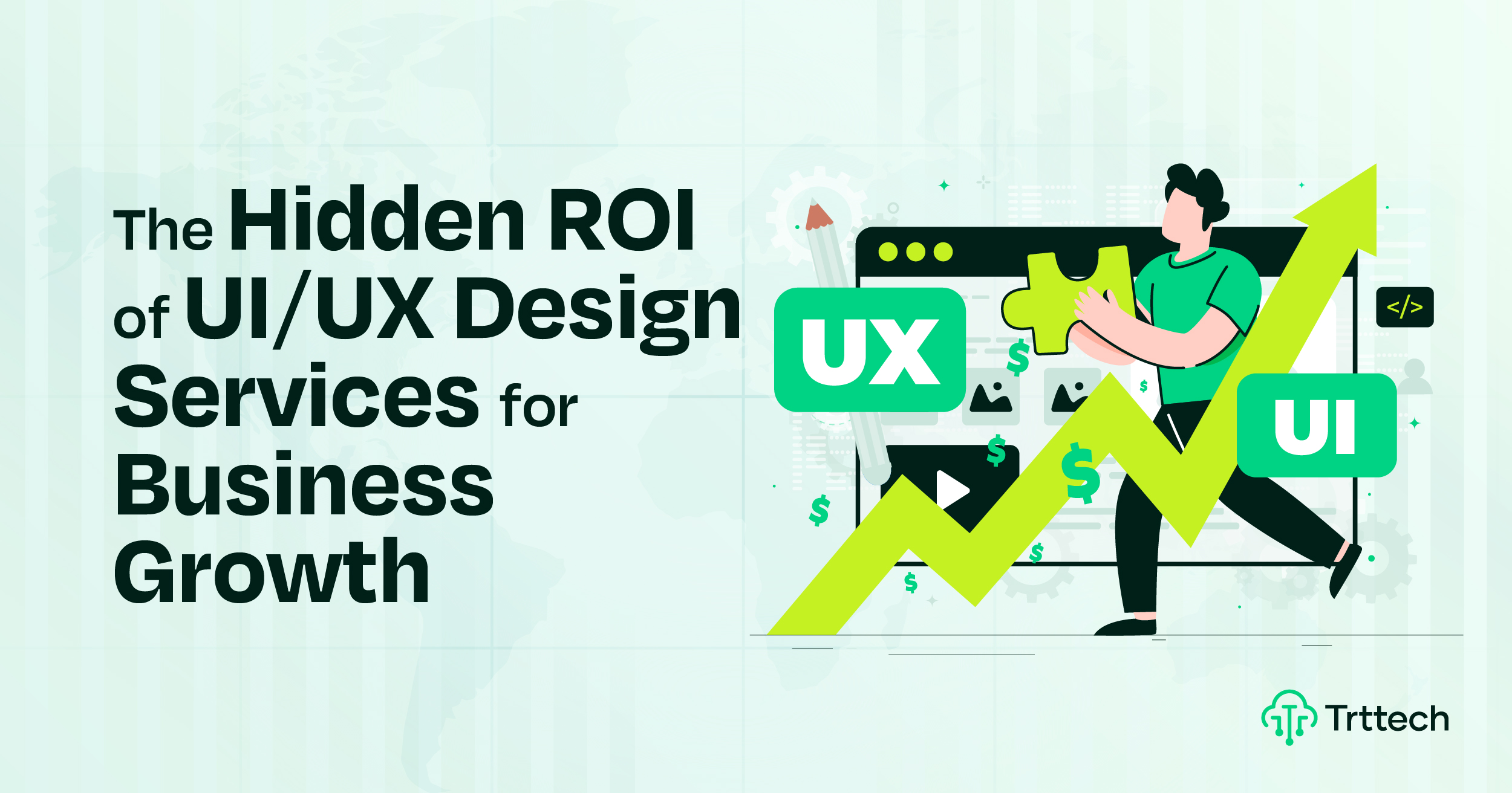
Many people see UI/UX design as just a visual update. This is a common misconception: UI/UX is a “visual expense.” In reality, it’s the actual user experience that delivers business value. It’s a core product design strategy, not just the aesthetics of the design.
This approach creates a UI/UX competitive advantage. It shows how design drives growth. The impact of UX design on the business is clear and measurable.
We’re rejecting this design expense misconception. Smart leaders know why UI/UX is not just cosmetic. They see the difference between UI/UX design cost vs. investment. Investing in UX design is a smart move.
We’ll share real design thinking about ROI. Good design builds a strong business case for UI/UX. It’s a tool for building trust and increasing user satisfaction through design. This is what makes design-driven organizations successful. In this article, we’ll share the hidden ROI of UI/UX design services for business growth.
Understanding ROI in UI/UX Design
Think of design like a super tool for your business. Using this tool gives you a great return on investment, or ROI. This means you get back more than you spend.
Let’s use a lemonade stand again.
-
If you spend $1 on a clear, colorful sign, and it helps you sell 10 extra cups of lemonade, that’s a good ROI.
-
If you spend $2 on sturdy, clean cups so drinks don’t spill, and it makes 5 customers come back tomorrow, that’s also a good ROI.
Good design ROI means:
-
More Money Now: A better “Menu” sign can help you sell more treats right away. This is a fast return.
-
More Money Later: A friendly, easy-to-use stand makes people happy. Happy people return and bring friends. This builds your ROI over time.
-
Less Waste: A well-planned stand isn’t messy. You don’t waste cups or lemonade. This saves money, which is part of your ROI.
-
Stronger Reputation: The best stand on the block gets famous. People trust it. This trust is very valuable and adds to your ROI.
Bad design has a bad ROI. A messy, confusing stand costs you sales. You lose customers. The money you spent feels wasted.
Investing in smart design means choosing to build a better stand. It costs a little more at the start, but it helps you make more, save more, and grow more. That’s the power of a great design ROI.
The Cost-Saving Benefits Most Businesses Ignore
Companies see the price of good design. They miss the hidden costs of bad UX. This is a big financial downside of poor design.
But smart UX design saves money. It is a form of cost avoidance through UX. This creates operational efficiency from design. These savings show the overlooked ROI of user experience.
We will share about two big ways design cuts costs.
Lower development and refactoring costs
Plan your design first. Think of a house blueprint. It’s easy to change the walls of a drawing. It’s hard and very expensive to change it after the house is built.
Fixing usability issues early saves money. It starts by reducing development rework.
According to a famous rule, it can cost 100 times more to fix a mistake after construction. This shows that the cost of fixing a mistake late is higher than upfront.
Testing a model first is like cheap insurance. It uses a Lean UX approach. It tests prototypes before development. It stops big, expensive mistakes.
It helps reduce technical and design debt. “Debt” is clutter from rushing future work now.
Use iterative design. It means small, constant improvements. It’s cheaper than a big expensive overhaul later.
It also helps prevent scope creep with a clean UX. When the plan is clear, construction is faster. It creates agile design and development efficiencies. The result is fewer revisions and reworks after launch.
Reduce Customer Support Costs
A clear product educates users. A confusing product inundates your support team with questions.
Good design de-clutters support tickets. That’s the first goal.
An easy-to-use product means people don’t get stuck. It reduces user friction and confusion. People can help themselves. That’s the goal of UX for self-service success.
A good onboarding UX guides new users. It reduces “How do I do this?” calls early on.
This in turn reduces the amount of customer support. Every avoided call saves time and money.
You can track your ticket churn rate through UI improvements.
Good design also makes your support department better. It improves your knowledge base and FAQ functionality. The product and support guides use the same clear language. Users find answers faster.
Thus a self-explanatory design improves user autonomy. It gives users confidence. It turns frustrated calls into silent successes. That’s a direct savings for your business.
UI/UX Design and Brand Trust
Your website is like the first handshake. Building trust through design starts here. A professional look and feel builds brand credibility for your UX design.
People quickly decide to trust a brand. Clear and consistent trust signals in the user interface help. This shapes their design and brand perception. Thoughtful design creates a strong connection. This is the power of emotional design and loyalty.
We’ll share how good design builds trust with your audience.
How Consistent UI Builds Trust
Think of your favorite store. You know where things are. It feels reliable. Digital products should feel the same way.
Consistency in a strong design system is important. It creates brand consistency across touchpoints. Your website and app should feel like part of the same family. It creates consistent interaction patterns. Users learn them quickly.
This consistency builds trust. It’s key to building user trust through familiarity. When things work as expected, people feel safe. A clear visual hierarchy and predictability make them easy to navigate. It’s about reducing cognitive load with consistency. People don’t have to think hard.
The result is a cohesive user journey. Everything feels like one brand. It shows brand integrity in the digital experience. It shows that you’re organized. It shows attention to detail in the UI. This detail builds real trust.
First Impressions and Perceived Professionalism
People are quick to judge. One study found that they form an opinion in about 50 milliseconds. Those 50 milliseconds of first impressions are crucial. Visual polish and credibility are directly linked.
A clean, modern design signals perceived quality through design. It’s important to follow professional web design standards. An outdated, cluttered site makes people suspicious of you. It uses the credibility heuristic in design. Simple, clean layouts look more credible. The difference between modern and old design concepts is clear.
Your goal is to create instant credibility. From the first glance, your design should be thoughtful. Every clean line and clear button helps. It shows that you value the user’s time.
Emotional Connection Through Thoughtful UX
Good design solves problems. Great design also helps people feel good. Emotional design principles create positive feelings. Small, delightful micro-interactions, like a friendly animation, can make someone smile. This is UX that demonstrates empathy.
This empathy creates a real bond. It’s about building brand affinity through experience. Anticipatory design solves a need before the user even asks. It makes them feel understood. Eliminating pain points and creating joy makes a mundane task feel pleasurable.
These positive emotional responses to design are powerful. They create true loyalty. Adding a personalized user experience shows that you see the user as a person. Consistency, professionalism, and care together build lasting trust.
Data-Driven UX = Smarter Business Decisions
Guessing what users want is not safe. Using facts is better. Evidence-based design decisions use facts, not guesses. They mix UX research and business intelligence. This guides your team.
This process is called quantifying user experience. It means you move from gut feeling to data. Every design iteration based on data improves your product. This work finds the UX metrics that matter to executives. It is the best way for aligning design with business goals.
We will share the tools that make this work.
Using user behavior data to optimize products
You must see what users really do. User behavior analytics tools show you. Tools like heatmaps and user session recordings are examples. They show where people click and where they stop. This is powerful analytics for UX optimization.
A funnel analysis maps the user’s path. It finds drop-off points where people leave. This is key for identifying UX pain points with data.
With this knowledge, you can build data-informed product roadmaps. You start prioritizing features based on real usage. This puts the user voice in product development first.
A/B testing and usability insights
Data comes in two types. It is what people do and what they say. Use qualitative + quantitative insights together.
Usability testing asks users to talk while they try a task. A/B testing compares two versions to see which is better. Know the difference between usability testing vs. A/B testing. This helps you pick the right tool.
You can run multivariate testing for UI elements. Or you can run simple tests. A/B testing copy, colors, and layouts gives clear answers.
The goal is statistical significance in design tests. This means the result is real, not luck. This approach is iterative design through experimentation. You test, learn, and improve. It is also good for reducing risk of design changes. You champion the winning variant because you have proof.
Turning design feedback into measurable growth
Feedback is useless if you don’t use it. You must structure design feedback for action. This means closing the user feedback loop. Tell users how their idea made a change. This builds trust.
The real goal is to go from user interviews to KPI impact. Connect what you hear to important numbers. Are you connecting NPS/CSAT to UX initiatives? Show how a design change made scores better. This is a feedback-driven growth strategy.
It all leads to measuring success of UX changes. You move from “I think” to “I know.” This proof turns design from a cost into an engine for growth. It shows the direct link between listening to users and better business results.
Competitive Advantage Through Better User Experience
Many products are similar. Your design makes yours special. Great UX is a powerful competitive moat. It builds a sustainable competitive advantage through design.
This means differentiating with user experience. You can win even when features are the same. It is a proven way of winning market share with UX. This is not a trick. It is a strategic design differentiation plan. It powers an experience-led growth strategy.
We will share how focusing on users builds a lasting lead.
Standing out in crowded digital markets
Markets are loud. Good design gets noticed. It is a way of breaking through market noise with design. You can create digital disruption through UX. Just make a complex task feel simple.
Companies that do this get a first-mover advantage in user experience.
Many products have the same features. But similar features do not mean a similar experience. How a product feels to use is what people remember. This is about creating an “unfair advantage” with design. It builds a defensible moat around your product.
Use iterative design for sustained relevance. Keep making small improvements. Work on anticipating user needs to stay ahead. This creates design that competitors can’t easily copy. It becomes valuable brand equity.
Why users choose experience over price
People pay for things that work well. They avoid things that are frustrating. The perceived value of great UX is very high. Users show a willingness to pay for better experience.
A smooth product reduces price sensitivity with design. People think about the true cost of a “cheaper” but frustrating alternative. Their time and happiness matter.
This allows for value-based pricing supported by UX. You are not just selling a tool. You are selling a good feeling and saved time. This builds emotional loyalty, not just transactional relationships. It is stronger and lasts longer.
This loyalty is key to reducing user churn in competitive landscapes. When users love the experience, they stay.
UI/UX as a long-term differentiation strategy
Think past the next sale. Think about the next ten years. Investing in UX is investing in future customers. It directly builds long-term customer lifetime value (LTV) through UX. A happy user stays and buys more over time.
Good design also creates switching costs. These costs are emotional and practical. People get comfortable. They become attached to a product that feels right. This loyalty protects you. It is the result of UX and customer loyalty, and it helps in preventing churn.
Focusing on user experience is your strongest advantage. It is not a one-time task. It is a core plan for business growth.
Real-World Examples of UI/UX ROI
Theory is good. Real numbers are better. UI/UX case studies with metrics show how design makes money. They give proof of design ROI.
These stories show measurable results from design changes. Check any before and after UX redesign results. You will see the quantifiable impact of user experience. This proves the business outcomes from UX investments.
We will share three areas where design creates clear growth.
E-commerce Conversion Improvement
Online stores need a smooth buying process. Focus on checkout flow optimization. A big problem is a high cart abandonment rate. Simple fixes help.
Add clear trust signals in e-commerce UX. Show secure payment badges. Offer a guest checkout option. Do not force account creation.
Improve your product page UX. Use better pictures and clear text. This boosts your add-to-cart rate. It is key for mobile commerce conversion boost.
Use personalization ROI in retail. Show products they might like. This can increase order size. Each fix helps turn a look into a sale.
SaaS Onboarding Optimization Results
Software needs users to see its value fast. This is the user activation rate. The goal is time-to-value (TTV) reduction. Help users succeed quickly.
Find onboarding friction points first. Is the setup confusing? Are features hard to find?
A smooth start is key for improving free-to-paid conversion. It is part of product-led growth through UX. Track feature adoption metrics.
A good start is the best way for reducing early-stage churn. If users get lost, they leave. A clear guide keeps them moving to a paid plan.
Local Business Growth Through UX Improvements
For a local business, a website is a front door. Local SEO and user experience work together. People find you on a map, then visit your site.
They often use a phone. Mobile-first design for local services is critical. A bad mobile site sends customers away.
You often want a call or quote. Contact form and call-to-action optimization is vital. A clear “Call Now” button gets more leads.
Reducing bounce rate for service pages means giving clear info fast. Show prices, hours, and service areas. Link your Google Business Profile to build trust.
For a lead generation website, remove confusion. Make the next step obvious. This is the best UX for lead generation. It turns visitors into booked appointments.
When Should a Business Invest in UI/UX Services?
Knowing the right time for UX investment is important. You don’t need to spend a lot at first. But waiting too long costs you money.
Look for clear signs you need a UX designer. Sales might be falling. Customers could be unhappy. Your product may feel confusing.
A UX audit is a great first step. It finds these problems. The best plan is prioritizing design in business strategy early. This means investing in UX at the right stage.
Signs your business needs UX improvement
Watch for UX pain points and symptoms. Do you have high user churn or low retention? People try your product but leave. Are conversion rates poor? Visitors don’t become customers.
Are customer support costs rising? This means users need help to figure things out. Listen to negative user feedback. Check for high bounce rates on key pages.
Even your team might feel frustration with the product. Be honest. Do competitors have a better user experience? If you have stagnant growth despite marketing spend, the design might be the problem.
Startup vs growing vs enterprise needs
Needs change as you grow. A UX maturity model helps plan.
Early-stage startups need to learn. Use UX for MVP validation. Test if your idea solves a real problem.
Scaling companies need to improve. Build design systems. Focus on optimization.
Large businesses may need an enterprise UX transformation. They work on consistency across many systems.
Internal design vs professional UI/UX agency
You have choices. Build an in-house UX team. Hire a UI/UX design agency. Use a freelance UX designer. Each has different pros and cons.
Many use a hybrid UX resourcing model. Do a cost-benefit analysis of outsourcing UX. This helps decide when to hire your first full-time designer.
Measuring the ROI of UI/UX Design
You need to measure results to get budget and show value. Proving the value of design with data is key. You must know how to calculate UX ROI.
Start with a solid UX measurement framework. The goal is quantifying design impact. Pick the right ROI metrics for user experience. This is about tracking design investment returns.
We will share the main numbers to watch and the tools to use.
Key metrics to track (conversion, bounce rate, LTV)
Track three kinds of metrics.
First, Engagement & Usability Metrics. These show if your product is easy to use. Track the Task Success Rate. This is the percent of users who finish a main task. Measure Time-on-Task. Less time means better efficiency. Use the System Usability Scale (SUS) from surveys. Watch the Error Rate to see mistakes.
Next, Behavior & Perception Metrics. These show how users feel. A high Bounce Rate means people leave a page quickly. Get the User Satisfaction (CSAT) score from a short survey. Ask for the Net Promoter Score (NPS) to see who would recommend you. Monitor the Click-Through Rate (CTR) on key buttons.
Last, Business & Outcome Metrics. These connect to money. The Conversion Rate tests if your journey works. Customer Lifetime Value (LTV) should go up as users stay. Good design can lower Customer Acquisition Cost (CAC). Also track Support Cost per User. It should fall as your design improves.
Tools for measuring UX performance
Use the right tools. They fit into groups.
For numbers, use Analytics & Quantitative Tools. Google Analytics 4 (GA4) shows user paths. Amplitude or Mixpanel give deep product analytics. Hotjar makes heatmaps and session recordings.
To learn “why,” use Qualitative & Research Tools. UserTesting shows remote usability testing. SurveyMonkey sends CSAT or NPS surveys. Dovetail organizes research notes.
Check Performance & Technical UX. Google PageSpeed Insights tests your site’s speed. FullStory captures session replays to spot user frustration.
Connecting design metrics with business KPIs
Link your design data to business goals. Show how a better Task Success Rate means more sales. Explain how a higher System Usability Scale (SUS) score cuts support calls. Connect a better Net Promoter Score (NPS) to higher Customer Lifetime Value (LTV).
This turns design from a cost into a growth driver. Each design fix has a target. Fixing a user error protects revenue. Smoothing a checkout flow boosts the Conversion Rate. This clear line from design change to business result is the true proof of ROI.
Conclusion – UI/UX Design as a Growth Engine
Good design is not a cost. It is a powerful engine for growth. The hidden ROI is real. You save on support. You build customer loyalty. You earn brand trust.
Waiting costs you money. A small problem today becomes a big problem tomorrow. A confusing button now leads to many support calls later. A broken checkout loses sales every day.
This delay creates “design debt.” Like money debt, it grows. Fixing a problem early is cheap. Fixing it late is very expensive. It costs customer happiness, team time, and lost sales. Starting now is cheaper than starting next year.
Look at your website or app. Is it clear and easy? Do users get stuck? Your answer is the first step.
The next step is a professional opinion. A UX audit finds your biggest problems. It shows what to fix first. We will share about this helpful process.
Ready to see the ROI of great design?
Start with a talk. Contact a trusted UI/UX agency. Ask about a UX audit. This one step can show you how to save money and make customers happy. Turn your product into a growth engine. Start today.